Manual receipt entry is slow, error-prone, and costly. Automated processing saves time, improves accuracy, ensures compliance, and boosts productivity, offering quick ROI and scalable efficiency.
Every business owner knows the drill: receipts pile up, deadlines loom, and someone has to sit down and manually input every expense, vendor name, and amount into spreadsheets or accounting software. It’s tedious, time-consuming, and surprisingly expensive when you calculate the true cost.
Manual data entry for receipts might seem like a necessary evil, but it’s actually one of the biggest hidden drains on your business resources. While you’re focused on growing your company, your team is stuck in the weeds of administrative tasks that could be automated. The question isn’t whether you can afford to automate—it’s whether you can afford not to.
Let’s explore why sticking with manual receipt processing is hurting your bottom line and what smarter alternatives exist.
The Hidden Costs of Manual Receipt Data Entry

Time Is Money (And You’re Spending Too Much of Both)
Manual data entry eats up valuable hours that could be spent on revenue-generating activities. A typical receipt takes 3-5 minutes to process manually—from locating the document to entering all relevant information and filing it properly. For a small business processing 50 receipts per week, that’s roughly 4 hours of work. Scale that up to larger organizations handling hundreds or thousands of receipts monthly, and you’re looking at significant labor costs.
Consider this: if you’re paying an employee $20 per hour to handle receipt data entry, those 4 weekly hours cost you $320 per month, or $3,840 annually. That’s just for one person processing a relatively small volume of receipts.
Human Error Creates Expensive Problems
Manual data entry is prone to mistakes. Transposed numbers, missed decimal places, incorrect vendor names, or misplaced receipts can lead to serious complications during tax season or financial audits. These errors often require additional time to identify and correct, compounding the initial time investment.
More concerning is when errors go unnoticed. Incorrect expense categorization can result in missed tax deductions or compliance issues. A single audit penalty can easily exceed the annual cost of automated solutions.
Scalability Becomes a Nightmare
As your business grows, so does your receipt volume. Manual data entry doesn’t scale efficiently. You’ll need to hire additional staff or burden existing employees with more administrative work, pulling them away from their core responsibilities. This creates bottlenecks in your financial processes and can delay important business decisions that rely on accurate, up-to-date expense data.
Why Businesses Stick with Manual Processes
Despite the clear drawbacks, many businesses continue with manual receipt processing. The reasons are understandable but ultimately shortsighted.
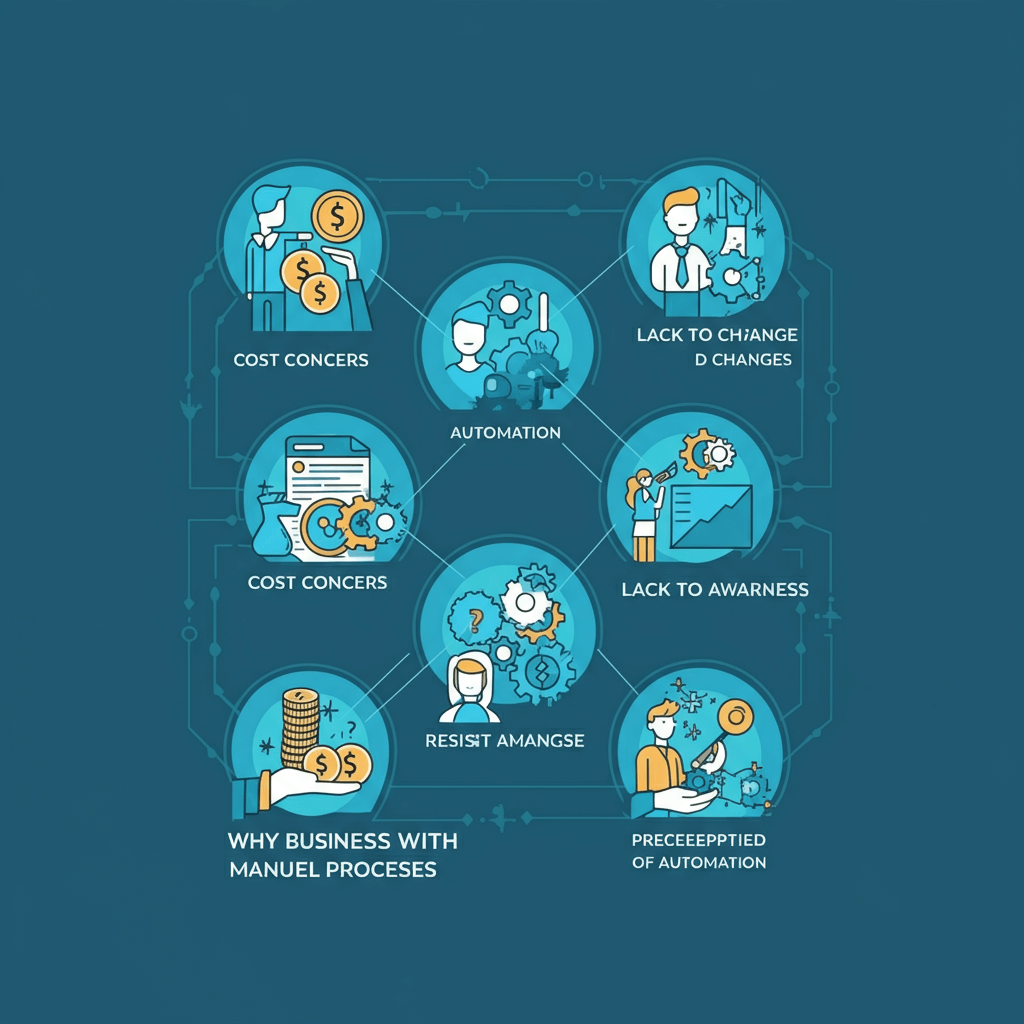
The “It’s Always Been This Way” Mentality
Many business owners are comfortable with familiar processes, even inefficient ones. Change requires effort, learning, and often upfront investment. However, the cost of maintaining the status quo usually exceeds the cost of modernization over time.
Perceived Control and Accuracy
Some managers believe manual oversight ensures better accuracy and control. While human review has its place, manual data entry actually introduces more opportunities for error than well-designed automated systems.
Upfront Cost Concerns
Business owners often focus on the immediate cost of new software or systems without calculating the ongoing expense of manual processes. This narrow view prevents them from seeing the long-term savings and efficiency gains that automation provides. Similar to the investment in digital PR content marketing success, upfront costs are outweighed by long-term gains.
The Business Impact of Inefficient Data Entry

Delayed Financial Reporting
Manual data entry creates bottlenecks in your financial reporting cycle. When receipts sit in piles waiting to be processed, you don’t have real-time visibility into your expenses. This delayed information can hurt your ability to make informed business decisions, manage cash flow effectively, or identify spending patterns that need attention.
Employee Satisfaction and Retention
Nobody enjoys mind-numbing data entry work. Talented employees want to contribute meaningfully to your business success, not spend hours typing numbers from receipts. When you burden skilled workers with repetitive administrative tasks, you risk losing them to competitors who offer more engaging work environments.
Compliance and Audit Risks
Manual processes are harder to standardize and audit. Inconsistent data entry practices, missing receipts, or inadequate documentation can create compliance headaches. During tax season or regulatory audits, these issues become expensive problems that require urgent attention.
Smart Alternatives to Manual Data Entry
Automated Receipt Processing Solutions
Modern receipt processing software uses optical character recognition (OCR) and machine learning to extract data from receipt images automatically. These systems can process receipts in seconds rather than minutes, with accuracy rates often exceeding manual data entry.
Integration with Existing Systems
The best automated solutions integrate seamlessly with popular accounting software like QuickBooks, Xero, or Sage. This eliminates double data entry and ensures your financial records stay current without manual intervention. For CRM-specific solutions, see automate HubSpot data entry: complete guide.
Mobile Apps for Real-Time Processing

Mobile receipt processing apps allow employees to capture and process receipts immediately after purchases. This prevents lost receipts and provides real-time expense tracking, giving you better visibility into spending patterns.
Calculating Your Return on Investment
Before dismissing automation as too expensive, calculate what manual processing actually costs your business. Factor in employee wages, error correction time, delayed reporting costs, and the opportunity cost of having skilled workers perform administrative tasks.
Most businesses find that automated receipt processing pays for itself within the first year through time savings alone. Additional benefits like improved accuracy, better compliance, and enhanced employee satisfaction provide ongoing value that’s harder to quantify but equally important.
Making the Transition
Moving from manual to automated data entry doesn’t have to happen overnight. Many businesses benefit from a phased approach, starting with high-volume expense categories or specific departments before rolling out company-wide implementation.
The key is to start somewhere. Every receipt processed manually is a missed opportunity to save time, reduce errors, and free up your team for more valuable work.
How Automated Receipt Processing Enhances Compliance
Compliance and regulatory adherence are critical concerns for any business. Manual data entry increases the risk of non-compliance because errors, missing receipts, and inconsistent categorization can go unnoticed. Automated receipt processing, however, creates standardized, auditable records that meet accounting and tax requirements.
For example, automated systems can automatically validate vendor information and tax IDs, ensuring all entries meet regulatory standards. Receipts are timestamped and digitally stored, creating a permanent audit trail that simplifies internal and external audits. Businesses no longer need to scramble for misplaced receipts or reconcile inconsistent data, significantly reducing stress during tax season.
Employee Productivity and Satisfaction Gains
One often-overlooked benefit of automating receipt data entry is its impact on employee satisfaction. Repetitive administrative tasks like manual data entry can contribute to employee burnout, disengagement, and high turnover. When employees are freed from these mundane responsibilities, they can focus on strategic, revenue-generating work such as financial analysis, vendor management, and business development.
By reducing administrative burdens, businesses also demonstrate that they value employees’ time and expertise. This improves workplace morale, encourages retention, and creates a culture of efficiency and innovation. Over time, the organization benefits from both reduced labor costs and a more engaged, productive workforce.
Mobile Receipt Capture: Work on the Go
One of the most convenient features of modern receipt automation is mobile capture. Employees no longer need to save paper receipts or log into a desktop system—they can snap a photo with a smartphone, and the data is instantly processed.
Mobile apps also allow real-time expense reporting and approvals. Employees can submit receipts immediately, while managers can review and approve expenses from anywhere. This immediacy prevents lost receipts, speeds up reimbursements, and gives businesses instant visibility into spending trends, even when teams are working remotely.
Custom Workflows and Departmental Integration
Automated receipt processing systems allow businesses to create custom workflows tailored to their operations. Departments can have unique approval chains, rules for expense categorization, and reporting formats that meet their specific needs.
For example, marketing teams may require receipts to include campaign codes, while operations might need project codes or cost centers. Automated systems can route receipts to the right approvers and integrate directly with accounting software, ensuring seamless collaboration across departments. This reduces bottlenecks, eliminates miscommunication, and ensures accurate financial reporting across the organization.
Integrating Receipt Automation with Broader Financial Workflows
Automated receipt processing does more than just digitize data entry—it becomes an integral part of your financial ecosystem. Modern software often integrates with accounting, payroll, and expense reimbursement platforms. This interconnected approach allows receipts to flow seamlessly through approval workflows, expense reporting, and reconciliation processes.
Integration ensures that data captured from receipts immediately updates your accounting system, eliminating duplicate entry errors and reducing the reconciliation cycle. For advanced Excel workflows, read how to automate Excel spreadsheets for maximum efficiency.
Additionally, analytics dashboards provide insights into spending patterns, supplier trends, and budget adherence. Decision-makers can identify areas of overspending, negotiate better supplier rates, and make data-driven decisions to optimize cash flow.
Reducing Fraud and Unauthorized Spending
Manual receipt processing makes it difficult to detect fraudulent or unauthorized expenses quickly. Automated systems, however, can flag suspicious entries in real-time.
For instance, if a receipt exceeds a predefined spending limit or comes from an unusual vendor, the system can alert managers immediately. Automated categorization also ensures that all expenses are properly coded, reducing the chance of accidental misreporting. Businesses can explore automating data entry the smart way to revolutionize workflow to reduce fraud risk.
Environmental Benefits of Going Paperless
Automating receipt processing also has a positive environmental impact. Paper receipts, printed invoices, and manual filing consume physical resources and create unnecessary waste. Moving to a digital, automated system reduces paper consumption, storage needs, and energy costs associated with physical filing.
By reducing reliance on physical documents, businesses not only save money but also contribute to sustainability goals. This can enhance the company’s brand image and appeal to eco-conscious customers and employees alike.
Scaling Your Business Without Increasing Administrative Burden
As businesses grow, the volume of receipts and expense data grows exponentially. Manual data entry quickly becomes a bottleneck, delaying reporting and straining teams. Automated receipt processing scales effortlessly to accommodate growth without adding headcount.
Whether your company is expanding domestically or globally, automated systems can handle multiple currencies, tax regulations, and regional compliance requirements. Employees upload receipts from anywhere in the world, and the system automatically extracts and categorizes the data accurately. This scalability allows businesses to grow confidently without worrying about administrative overload.
Ready to Stop Throwing Money Away?
Manual receipt data entry is an outdated practice that’s costing your business more than you realize. The technology exists to eliminate this time-consuming, error-prone process, and the return on investment is compelling for businesses of all sizes.
Take a hard look at your current receipt processing workflow. Calculate the true cost in employee time, error correction, and missed opportunities. Then explore automated solutions that can transform this necessary business function from a cost center into a competitive advantage.
Your business deserves better than endless piles of receipts and manual data entry. The question is: when will you make the change?
Frequently Asked Questions (FAQ)
Can automated receipt processing replace my accounting team?
Automated systems streamline repetitive tasks but do not replace accountants. They allow your team to focus on higher-value work like financial planning, analysis, and strategic decision-making.
How secure is cloud-based receipt automation?
Reputable solutions use encryption, secure servers, and access controls to protect financial data. Many also comply with global data privacy standards such as GDPR and SOC 2.
What types of receipts can automation handle?
Modern OCR and AI systems can process paper receipts, PDFs, emailed invoices, and even photos captured via mobile apps. They can extract details like date, vendor, amount, and tax automatically.
Will automated processing reduce errors completely?
While no system is 100% error-proof, automated solutions significantly reduce mistakes compared to manual entry. Most platforms allow easy review and correction for maximum accuracy.
How quickly can a business see ROI from automated receipt processing?
Many companies report that the time and labor savings alone pay for the system within the first year. Added benefits like improved compliance, faster reporting, and happier employees increase long-term ROI.
Is automation suitable for small businesses with fewer receipts?
Yes. Even small businesses benefit from faster processing, reduced errors, and real-time expense tracking. Automation also positions small companies to scale efficiently as they grow.