Your CRM is the brain of your business, but is it getting the fuel it needs? Discover how mastering CRM data entry transforms scattered information into a powerhouse of actionable business intelligence.
In this guide, we explore the critical role of accurate CRM data entry in driving business success. We cover common challenges like duplication and inconsistency, offer actionable best practices for standardization and automation, and reveal advanced strategies involving AI to ensure your data fuels growth, not confusion.
The Critical Role of CRM Data Entry in Business Success
Data is often called the new oil, but without a refining process, it is just sludge. In the world of customer relationship management (CRM), that refining process is CRM data entry. It remains one of the most overlooked aspects of business operations, yet it dictates the success or failure of your entire sales and marketing strategy.
Many organizations invest thousands of dollars in sophisticated platforms like Salesforce or HubSpot but fail to implement proper CRM data entry protocols. The result? A repository of incomplete, inconsistent, or outdated information that compromises the system’s effectiveness.
Why Quality Makes or Breaks Your Business Intelligence
Your CRM system is only as good as the data it contains. High-quality, accurate CRM data entry serves as the foundation for all customer insights and business intelligence derived from your software. When data is entered completely and consistently, your organization can:
- Develop comprehensive customer profiles: accurate CRM data entry reveals buying patterns and preferences that help you understand who your customers actually are.
- Identify trends: You can spot market shifts and opportunities that might otherwise remain hidden in a spreadsheet mess.
- Make data-driven decisions: Executives can rely on reports rather than gut feelings.
- Personalize interactions: Marketing teams can tailor messages across all touchpoints, increasing engagement.
According to research often cited by Gartner, businesses with high-quality data realize significantly more revenue from their CRM initiatives compared to those with poor data quality. This difference highlights how proper CRM data entry directly impacts your bottom line.
The Cost of Poor Data Entry Practices
Conversely, poor CRM data entry practices can severely hinder your business operations. The repercussions are far-reaching and expensive.
- Missed Sales Opportunities: If a sales rep cannot find a phone number or follows up on a lead that was already disqualified but not updated, revenue is lost.
- Inaccurate Forecasting: Sales directors rely on pipeline data. If CRM data entry is lagging, forecasts will be wrong, affecting inventory, hiring, and budgeting.
- Decreased Productivity: Staff waste hours searching for correct emails or merging duplicate contacts instead of selling.
- Eroded Trust: If the sales team doesn’t trust the data, they stop using the CRM. This leads to “shadow IT,” where reps keep data in private spreadsheets, making the CRM useless.
Research suggests that bad data costs businesses an average of 15% to 25% of their revenue. This is not just an administrative annoyance; it is a financial hemorrhage caused by lackluster CRM data entry.
Common CRM Data Entry Challenges Organizations Face
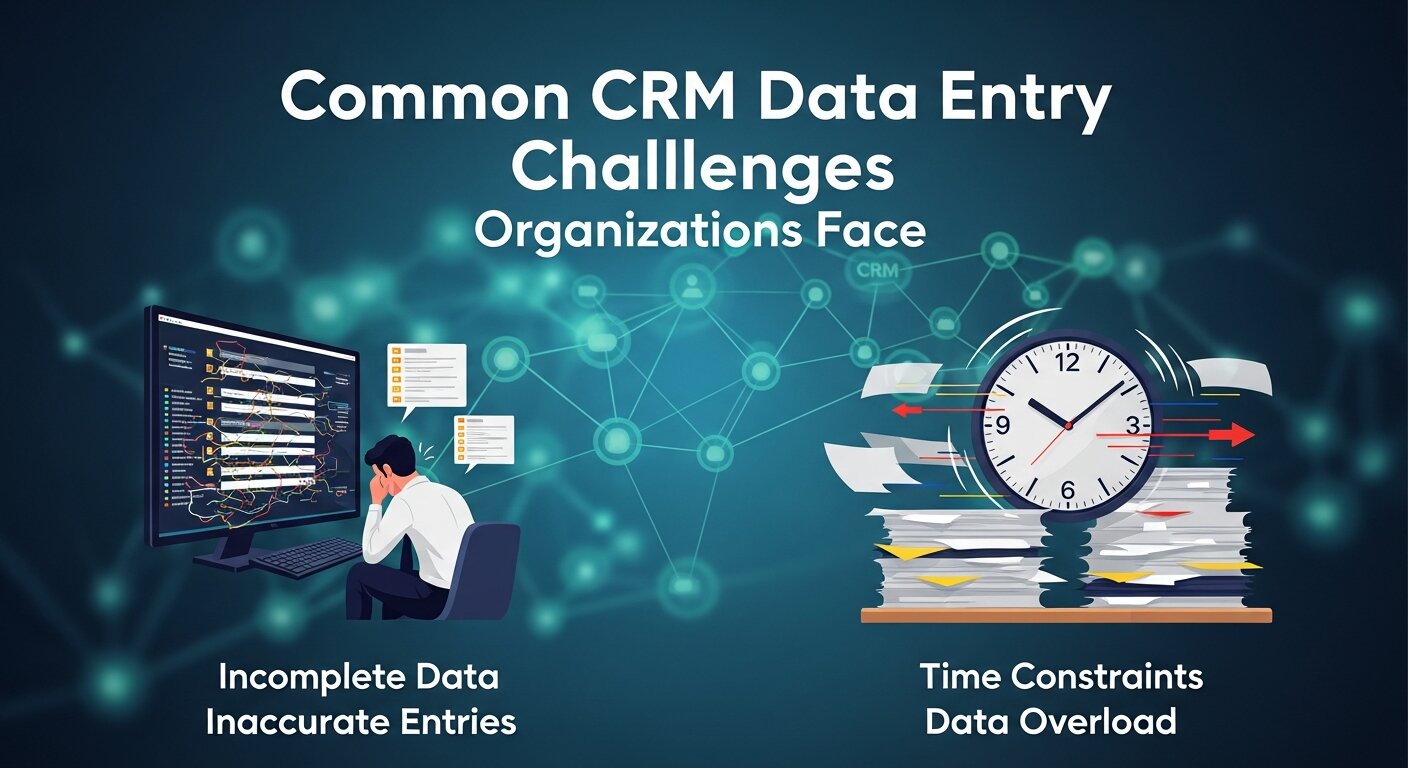
Before fixing the problem, you must identify where things go wrong. Most organizations struggle with the same core issues regarding CRM data entry.
Data Duplication and Inconsistency
One of the most prevalent issues is duplicate records. This problem occurs when multiple entries exist for the same customer, contact, or opportunity. Perhaps one rep entered “Acme Corp” and another entered “Acme Corporation.”
Duplication creates confusion. Which record has the most recent notes? Which one has the correct email? It also wastes storage resources and makes it difficult to maintain a single source of truth.
Inconsistent data formatting compounds this issue. When different team members perform CRM data entry in varying formats—such as recording phone numbers as (555) 123-4567 versus 555-123-4567—it becomes challenging to search, sort, and analyze data effectively.
Incomplete Information and Data Gaps
Partial CRM data entry creates significant gaps in your customer intelligence. When sales representatives or service agents hurriedly enter only the minimum required fields, valuable context is lost. These information gaps limit your ability to:
- Understand the customer’s complete history.
- Identify cross-selling or upselling opportunities.
- Segment customers effectively for marketing campaigns.
For example, if the “Industry” field is left blank during CRM data entry, marketing cannot run a targeted campaign for healthcare clients, resulting in generic, low-converting outreach.
Manual Entry Errors and Typos
Human error is inevitable in manual CRM data entry processes. Simple typos in email addresses, company names, or contact information can have significant consequences. A misspelled email address means a bounced proposal and a lost deal.
User Adoption and Consistency Challenges
Perhaps the greatest challenge to effective CRM data entry is ensuring consistent adoption across your organization. When employees perceive data entry as burdensome or fail to see its value, they may:
- Enter minimal information just to “check the box.”
- Delay updates until weekly or monthly batches, meaning real-time decisions are impossible.
- Create workarounds that bypass the CRM system entirely.
Essential Best Practices for Optimizing CRM Data Entry
To turn your CRM into a high-performance machine, you need a strategy. Here are the essential best practices for mastering CRM data entry.
1. Establish Clear Data Entry Standards and Protocols
Creating and enforcing standardized CRM data entry protocols is fundamental to success. You cannot expect consistency if you haven’t defined what “good” looks like. These standards should include:
- Required Fields: Define what is non-negotiable for different record types (contacts, accounts, opportunities).
- Naming Conventions: Decide on “VP of Sales” vs. “Vice President of Sales” or “US” vs. “USA.”
- Formatting Guidelines: Set rules for phone numbers, addresses, and dates.
- Classification Systems: Standardize dropdown menus for industry segments and lead sources.
Document these standards in a comprehensive style guide and make it easily accessible. Regular training sessions on these protocols will ensure team members understand not just how to perform CRM data entry, but why it matters.
2. Implement Data Validation Rules
Modern CRM systems offer powerful tools to enforce data quality through validation rules. This acts as a guardrail for CRM data entry. Consider implementing:
- Field-level validation: Prevent users from saving a record if the email format is incorrect (e.g., missing the “@” symbol).
- Dropdown Menus: Use picklists instead of open text fields whenever possible to eliminate spelling errors during CRM data entry.
- Required Field Rules: Prevent record creation without critical information like Lead Source or Phone Number.
As noted by industry experts, organizations using data validation tools report significantly higher data accuracy rates than those relying solely on manual diligence.
3. Streamline the Data Entry Process
Simplifying CRM data entry reduces user resistance and improves adoption rates. If it takes 20 clicks to enter a lead, no one will do it. Strategies to streamline the process include:
- Customizing Layouts: Show only relevant fields for specific user roles. A salesperson doesn’t need to see accounting codes during their initial CRM data entry.
- Logical Field Ordering: Arrange fields in the order the information usually flows during a conversation.
- Templates: Use templates for common notes or tasks to speed up entry.
Remember that every additional field or step in your CRM data entry process decreases the likelihood of complete and accurate information. Focus on capturing essential data first.
4. Leverage Technology for Data Capture
Take advantage of modern technology to minimize manual CRM data entry requirements. The less humans have to type, the fewer errors occur.
- Mobile CRM Apps: Allow for real-time CRM data entry immediately after customer interactions.
- Business Card Scanning: Technology that automatically scans cards and creates contact records.
- Email Integration: Tools like Outlook or Gmail plugins can capture communication history without manual logging.
- Web-to-Lead Forms: Automatically create records from website submissions, ensuring 100% accurate CRM data entry from the source.
5. Regular Data Auditing and Cleansing
Even with the best initial CRM data entry practices, data decays. People change jobs, companies merge, and phone numbers change. Implement a regular schedule for:
- Running Duplicate Detection: Use tools to identify and merge redundant records.
- Data Appending: Use third-party services to fill in missing data for high-value accounts.
- Verification: Periodically verify contact information for key relationships.
Many organizations benefit from assigning specific team members as “data stewards” responsible for monitoring CRM data entry quality.
Advanced CRM Data Entry Strategies
Once you have the basics down, you can move to marketing funnel advanced strategies that turn CRM data entry into a competitive advantage.
Integration with Other Business Systems
For maximum efficiency, integrate your CRM with other critical business systems. This automates CRM data entry by pulling data from other sources.
- Marketing Automation: Platforms like HubSpot or Marketo can push lead activity (web visits, email clicks) directly into the CRM.
- E-commerce Systems: Record purchase history automatically.
- Support Ticketing: Track customer issues without the sales rep needing to ask.
These integrations create a comprehensive view of customer interactions across all touchpoints while reducing manual CRM data entry requirements.
Predictive Data Entry and AI Assistance
Emerging technologies are transforming CRM data entry through intelligent assistance. Artificial Intelligence (AI) is no longer sci-fi; it is a practical tool for data quality.
- AI-Powered Suggestions: Tools that predict likely values for fields based on existing data or public information.
- Smart Forms: Forms that adapt based on previous entries.
- Natural Language Processing (NLP): Technology that can listen to sales calls and automatically perform CRM data entry by logging notes and next steps.
- Machine Learning: Algorithms that identify potential data quality issues before they become problems.
Companies utilizing AI-assisted CRM data entry report faster record creation and higher data quality scores. This is where Automate CRM Data Entry becomes a reality, shifting the workload from humans to machines.
Robotic Process Automation (RPA)
Robotic Process Automation for Data Entry is a game-changer for high-volume tasks. RPA bots can mimic human actions to transfer data between legacy systems and modern CRMs. If your team spends hours copy-pasting from Excel to Salesforce, RPA can handle that CRM data entry instantly and without errors. This is closely related to Programmable Automation Work, where specific triggers initiate complex data sequences.
Measuring and Improving CRM Data Entry Quality
You cannot improve what you do not measure. To improve your CRM data entry practices, establish measurable quality indicators.
Key Performance Indicators (KPIs) for Data Quality
- Completeness Rate: Percentage of records with all critical fields completed.
- Duplication Rate: Number of duplicate records identified per month.
- Timeliness: Average time between a customer interaction and the subsequent CRM data entry.
- Adoption Rate: Percentage of team members consistently using the CRM.
Track these metrics over time to identify trends. If the “Timeliness” metric drops, it might indicate that your CRM data entry process is too cumbersome for busy reps.
Creating a Data-Driven Culture
Beyond tools and protocols, successful CRM data entry requires cultivating a data-driven organizational culture.
- Demonstrate Value: Show the sales team how good data helps them sell more.
- Incentivize Quality: Incorporate CRM data entry quality into performance evaluations.
- Share Success Stories: Highlight wins where accurate data led to a closed deal.
When the team understands that CRM data entry is not just administrative work but a revenue-generating activity, adoption improves naturally.
The Future: Automation and AI in Data Entry
The landscape of CRM data entry is evolving rapidly. We are moving away from Manual vs Automated Data Entry debates toward a hybrid model where humans oversee AI agents.
Will Data Entry Jobs Be Automated?
A common question is, Will Data Entry Jobs Be Automated? The answer is nuanced. While repetitive, high-volume CRM data entry is increasingly handled by AI and Robotic Process Automation, the need for human oversight remains. Data Entry and Office Automation are merging, creating roles that require more analytical skills than typing speed.
AI and Data Security
As we automate more CRM data entry, security becomes paramount. Easy Cybersecurity or Artificial Intelligence solutions are now integrated into data entry tools to flag suspicious inputs. Cloud-Based Data Management in E-commerce relies heavily on automated, secure data entry to protect customer privacy while maintaining efficient operations.
Step-by-Step Guide: How to Improve Your Process

If you are looking to overhaul your current system, here is a quick roadmap to better CRM data entry.
- Audit Your Current State: Run reports to see how many duplicates and empty fields you have.
- Define Your “Golden Record”: Decide exactly what data you need to do business. Don’t ask for “Fax Number” if you never fax.
- Clean Up: Perform a mass cleanse. Leverage Technology for Data Capture to fill in gaps.
- Train the Team: Teach them the new CRM data entry standards.
- Turn on Validation: Activate those dropdowns and required fields.
- Monitor: Check your KPIs weekly.
Specialized Tools and Techniques
- Excel Automate Data Entry: If you are still transitioning from spreadsheets, learn How to Automate Data Entry in Excel. Using macros can help clean data before import.
- Web Form Data Entry: Ensure your website forms map correctly to your CRM. Best Practices for Web Form Data Entry involve using hidden fields to capture lead sources automatically.
- Cross-Platform Data Entry: Use tools like Zapier or Make to ensure data flows between apps without manual intervention.
By focusing on these areas, you transform CRM data entry from a burden into a strategic asset.
Conclusion
When approached strategically, CRM data entry evolves from an administrative burden to a competitive advantage. By implementing the best practices outlined in this guide—establishing clear standards, leveraging automation, streamlining processes, and fostering a data-driven culture—your organization can transform raw customer information into actionable business intelligence.
Remember that CRM data entry is not a one-time project but an ongoing commitment to information excellence. Invest in your data quality today, and you will build a foundation for superior customer relationships, more effective operations, and sustainable business growth for years to come. Whether you are using Textual Data Entry or advanced AI, the goal remains the same: accuracy, speed, and utility.
FAQs
1. What is CRM data entry and why is it important?
CRM data entry is the process of inputting customer information—such as contact details, interactions, and sales opportunities—into a Customer Relationship Management system. It is vital because accurate data allows businesses to track customer journeys, forecast sales, and personalize marketing efforts. Without precise CRM data entry, business intelligence becomes unreliable, leading to poor decision-making.
2. How can I reduce manual CRM data entry for my team?
To reduce manual work, integrate your CRM with other tools (email, calendar, marketing automation). Use features like Automated Data Entry AI, business card scanners, and web-to-lead forms. Robotic Process Automation for Data Entry can also handle repetitive tasks, freeing up your team to focus on selling rather than typing.
3. What are the most common errors in CRM data entry?
The most common errors include typos (misspelled names/emails), duplicate records (creating a new contact instead of updating an existing one), and incomplete data (leaving fields like “Industry” or “Lead Source” blank). Inconsistent formatting (e.g., phone numbers) is also a major issue in CRM data entry.
4. How often should we audit our CRM data?
Ideally, you should perform a basic data quality check monthly. This involves checking for duplicates and missing fields. A comprehensive audit of your CRM data entry protocols and a deep data cleanse should happen quarterly or bi-annually, depending on the volume of new data your business generates.
5. What is the difference between manual and automated data entry?
Manual vs Automated Data Entry comes down to human involvement. Manual entry requires a person to type data into the system physically. Automated entry uses software, APIs, or AI to pull data from one source (like an email or web form) and populate the CRM fields instantly. Automated CRM data entry is faster and less prone to error.
6. Can AI really improve CRM data entry accuracy?
Yes. AI Data Entry Automation tools can validate data in real-time, predict missing information based on public web data, and identify duplicates more effectively than humans. Artificial Intelligence can also use Natural Language Processing to transcribe voice notes into structured CRM data entry records.
7. How do I get my sales team to adopt better data entry habits?
Adoption starts with explaining the “WIIFM” (What’s In It For Me). Show them how good CRM data entry helps them close deals faster. Simplify the entry forms so they are not burdensome. Use mobile apps for on-the-go entry. finally, tie data quality to performance metrics or commission structures.
8. What is the best way to handle duplicate records?
Prevent them first using validation rules that flag potential duplicates during CRM data entry. For existing duplicates, use your CRM’s “Merge” function. Establish a “Survivor Rule” which dictates that the master record is the one with the most recent activity or the one created first, depending on your preference.
9. Is Excel good for CRM data entry?
Excel is great for data analysis but poor for active relationship management. However, many businesses start there. If you use spreadsheets, learn How to Automate Data Entry in Excel using forms and validation to keep data clean before you eventually migrate it via import into a proper CRM. Excel Automate Data Entry techniques can serve as a bridge to a real CRM.