Manual data entry is one of those business tasks that feels unavoidable. It’s tedious, time-consuming, and prone to human error, yet it’s essential for keeping your financial records accurate and your vendors happy. Many businesses accept this as a necessary cost of operation, dedicating countless hours and resources to manually keying in information from invoices.
But what if there was a better way? Automating your invoice data entry process can free up your team to focus on more strategic work, reduce costly errors, and provide a clearer, real-time view of your company’s finances. This isn’t a futuristic concept—it’s an accessible solution that can transform your accounts payable workflow.
This guide will walk you through why manual data entry is holding your business back and how you can successfully implement an automated system. We’ll cover the tools, the process, and the significant benefits of making the switch, providing you with a clear roadmap to a more efficient and accurate financial operation.
The Hidden Costs of Manual Data Entry

At first glance, manual data entry might seem like a straightforward task. You receive an invoice, and an employee types the details into your accounting system. Simple, right? The reality is far more complex, and the associated costs—both direct and indirect—can be substantial.
Financial Costs and Inefficiencies
The most obvious cost is the time your employees spend on this repetitive task. Think about the entire manual process: an invoice arrives, it’s sorted, delivered to the right person, manually entered, approved, and finally filed. Each step takes time. Research from the Aberdeen Group has shown that the average cost to process a single invoice manually can range from $12 to $30. For a company processing hundreds or even thousands of invoices a month, these costs add up quickly.
This manual process is also inherently inefficient. It creates bottlenecks, especially when the person responsible for data entry is sick, on vacation, or overwhelmed with other tasks. This can lead to late payments, which can damage vendor relationships and even result in late fees, further increasing costs. Businesses looking to optimize repetitive processes may benefit from reading automate data entry in Excel.
The High Price of Human Error
No matter how diligent your team is, humans make mistakes. A simple typo—an incorrect invoice number, a misplaced decimal point in a payment amount, or a wrong due date—can have significant consequences. These errors can lead to overpayments, underpayments, or duplicate payments.
Correcting these mistakes requires even more time and effort. Your team will have to track down the source of the error, communicate with the vendor, and make the necessary adjustments in your accounting system. These errors not only cost money but also erode the reliability of your financial data, making accurate forecasting and budgeting a challenge.
Negative Impact on Employee Morale
Let’s be honest: manual data entry is not an engaging or fulfilling job. It’s a monotonous, repetitive task that can lead to boredom and burnout. When skilled employees are stuck doing mind-numbing work, their job satisfaction plummets.
This can result in higher employee turnover, which comes with its own set of costs, including recruitment, hiring, and training. By automating data entry, you empower your employees to focus on higher-value activities that require their analytical and strategic skills, leading to greater job satisfaction and a more motivated team.
How to Automate Your Invoice Data Entry

Making the switch from manual to automated invoice processing doesn’t have to be a daunting task. By breaking it down into a series of manageable steps, you can implement a system that saves time, reduces errors, and streamlines your entire accounts payable workflow.
Map Your Current Process
Before you can improve your process, you need to understand it completely. Map out every single step of your current invoice data entry workflow. This detailed mapping will reveal bottlenecks, inefficiencies, and areas ripe for improvement. For guidance on creating effective data entry workflows, see RPA OCR automated data entry workflow.
Identify everyone involved, the tools they use (email, spreadsheets, physical paper), and the time each step takes. This detailed map will reveal bottlenecks, inefficiencies, and areas ripe for improvement. It will also serve as a baseline to measure the success of your new automated system.
Choose the Right Automation Tool
With a clear understanding of your current process, you can start looking for the right automation software. There is a wide range of tools available, from simple Optical Character Recognition (OCR) software to comprehensive accounts payable (AP) automation platforms.
Here’s what to look for:
- Optical Character Recognition (OCR): This is the core technology that makes invoice automation possible. OCR scans the invoice document (whether it’s a PDF or a scanned image) and “reads” the text, extracting key information like the vendor name, invoice number, date, and line-item details.
- Integration Capabilities: The tool you choose must integrate seamlessly with your existing accounting software (like QuickBooks, Xero, or NetSuite). This ensures that the extracted data flows directly into your financial system without any need for manual intervention.
- AI and Machine Learning: More advanced tools use AI and machine learning to improve accuracy over time. They can learn to recognize different invoice formats from various vendors, handle exceptions, and even code invoices to the correct general ledger accounts automatically.
- Workflow and Approval Automation: Look for a platform that can automate your approval workflows. You should be able to set up rules to route invoices to the appropriate person for approval based on the amount, department, or vendor.
Implement and Test the New System
Once you’ve selected a tool, it’s time for implementation. Start with a pilot program involving a small group of vendors or a specific department. This allows you to test the system in a controlled environment and work out any kinks before a full-scale rollout.
During this phase, provide thorough training to the employees who will be using the new system. Show them how the tool works, how to handle exceptions, and how the new workflow will operate. Collect their feedback to make necessary adjustments.
Go Live and Monitor Performance
After a successful pilot, you’re ready to roll out the automated system across the entire organization. Communicate the changes clearly to all relevant staff and vendors. Some vendors may need to be instructed to send their invoices to a specific email address for automated processing.
Once fully implemented, track key metrics like invoice processing time, error rates, and the proportion of invoices processed automatically versus manually. Continuous monitoring ensures ROI and efficiency. For guidance on streamlining Excel workflows, see automate Excel data entry guide.
Real-Time Visibility and Better Cash Flow Management
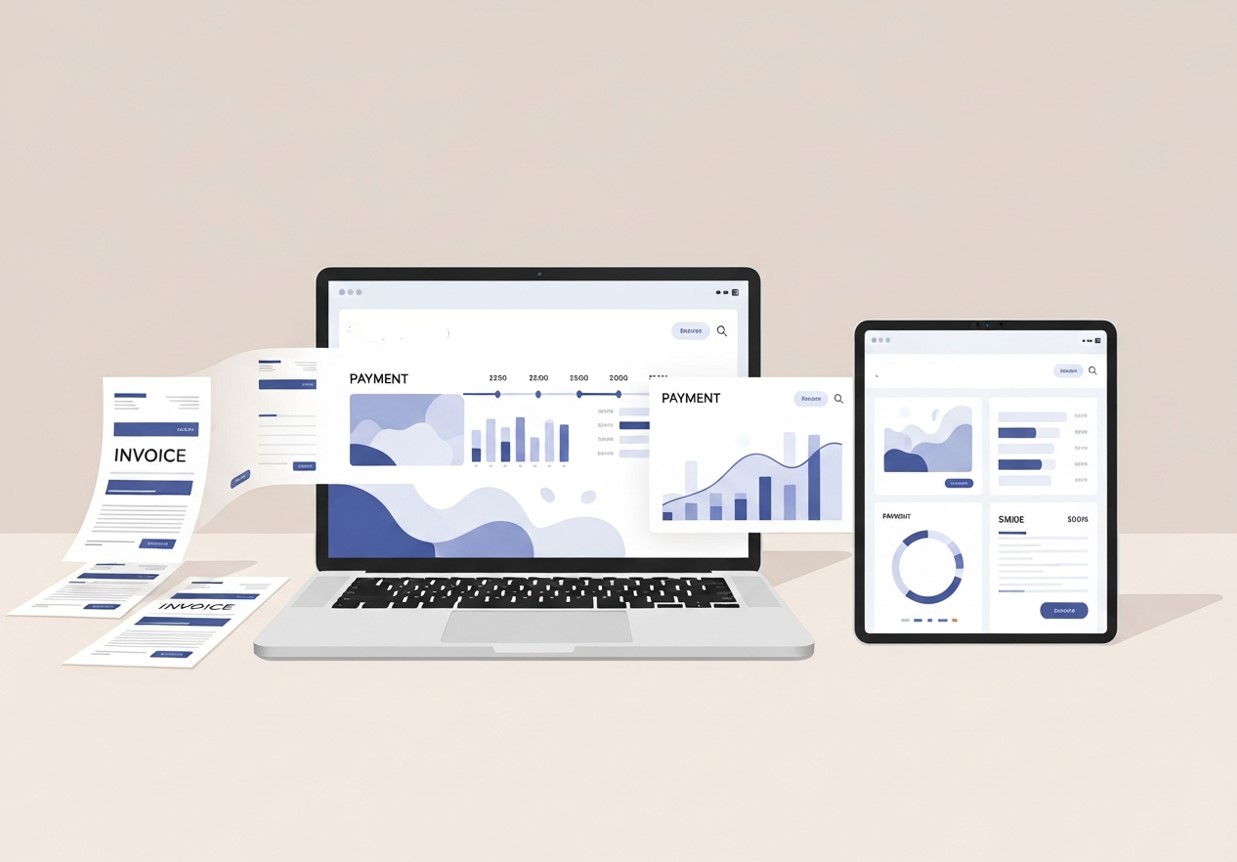
Manual invoice processing often leaves finance teams working with outdated information. By the time invoices are entered, approved, and posted, the data may already be days or weeks old. This lag makes it difficult to understand true liabilities, forecast cash flow accurately, or take advantage of early payment discounts.
Automated invoice data entry provides real-time accounts payable visibility, improving cash flow forecasting and early payment opportunities. Vendors benefit from predictable payment cycles, strengthening relationships. This mirrors the benefits of open banking APIs, which allow instant access to financial data for better decision-making.
This visibility also improves vendor management. When invoice statuses are easy to track, disputes can be resolved faster, and payment cycles become more predictable. Vendors appreciate timely, accurate payments, which strengthens relationships and can even open the door to better terms or negotiated discounts. In this way, automation doesn’t just streamline internal operations—it enhances external partnerships as well.
Change Management and Team Adoption
While the technical side of invoice automation is important, successful implementation ultimately depends on people. Employees who have worked with manual processes for years may initially resist change, fearing job displacement or increased complexity. Addressing these concerns early is critical to adoption.
Clear communication helps teams understand that automation is designed to support them, not replace them. By eliminating repetitive tasks, automation allows employees to contribute in more meaningful ways, such as analyzing spending patterns, improving vendor relationships, or supporting strategic initiatives. Training plays a key role here, ensuring users feel confident and capable with the new system.
Involving team members during the implementation process also builds ownership and trust. When employees see their feedback reflected in workflow adjustments, they are more likely to embrace the change. Over time, automation becomes a natural part of daily operations rather than a disruptive force.
The Long-Term Strategic Value of Invoice Automation
Automating invoice data entry is not just about efficiency today; it’s about positioning your business for the future. As financial operations become more data-driven, having clean, structured, and accessible invoice data becomes a competitive advantage.
This data can be used to analyze spending trends, identify cost-saving opportunities, and support negotiations with suppliers. It also integrates seamlessly with broader financial automation initiatives, such as expense management, budgeting, and forecasting. Invoice automation often becomes the foundation upon which more advanced financial intelligence is built.
In an increasingly competitive business environment, organizations that rely on manual processes risk falling behind. Automation enables faster decisions, greater accuracy, and stronger financial insight, all of which contribute to long-term resilience and growth.
Enhancing Data Consistency Across Financial Systems
Manual invoice data entry often results in inconsistent data across systems. Vendor names may be spelled differently, invoice numbers may follow inconsistent formats, and line items may be categorized incorrectly depending on who enters the data. Over time, these inconsistencies make reporting unreliable and financial analysis more difficult.
Automated invoice data entry enforces standardized data structures from the start. Vendor records are matched automatically, fields are populated consistently, and accounting codes follow predefined rules. This uniformity improves the integrity of financial data across accounting, ERP, and reporting platforms.
With cleaner and more consistent data, finance teams can generate accurate reports faster and with greater confidence. Decision-makers no longer have to question whether the numbers reflect reality, which enhances trust in financial insights and supports better strategic planning.
Supporting Remote and Distributed Finance Teams
As remote and hybrid work models become more common, manual invoice processing presents new challenges. Paper invoices, local files, and in-office approval steps simply don’t translate well to distributed teams. Delays increase when approvals depend on physical presence or email-based coordination.
Automated invoice data entry systems are inherently cloud-based, making them ideal for remote finance teams. Invoices can be accessed, reviewed, and approved from anywhere, without relying on physical documents or location-specific processes. This flexibility ensures continuity even when teams are spread across different offices or time zones.
By enabling seamless collaboration, automation removes geographical barriers and keeps financial operations running smoothly. Teams can maintain productivity and accountability regardless of where they work, making invoice automation a critical component of modern finance operations.
Transform Your Financial Operations

Automating invoice data entry is more than just a minor process improvement; it’s a strategic move that can have a ripple effect across your entire organization. By eliminating the inefficiencies and errors of manual processing, you unlock significant benefits that contribute to a healthier, more agile business.
Your team, freed from the drudgery of data entry, can focus on value-added activities like financial analysis, vendor relationship management, and strategic planning. This shift not only boosts morale but also transforms your AP department from a cost center into a strategic asset.
If you’re ready to leave the hidden costs and headaches of manual data entry behind, the time to explore automation is now. The technology is accessible, the implementation is straightforward, and the return on investment is undeniable.
Frequently Asked Questions (FAQ)
Is invoice automation only suitable for large companies?
Invoice automation benefits businesses of all sizes. Small and mid-sized companies often see the fastest returns because automation eliminates inefficiencies that consume limited resources. Even with modest invoice volumes, the time and error reduction can justify the investment.
How accurate is automated invoice data entry?
Modern automation tools achieve very high accuracy, especially when powered by AI and machine learning. Accuracy improves over time as the system learns vendor formats and corrects exceptions. In most cases, automated entry is significantly more reliable than manual typing.
What happens when an invoice can’t be processed automatically?
When the system encounters an exception, such as missing data or an unfamiliar format, it flags the invoice for review. A human can quickly verify or correct the information, ensuring nothing slips through the cracks while still saving time overall.
How long does it take to implement invoice automation?
Implementation timelines vary depending on system complexity and integration requirements, but many businesses can go live within a few weeks. Starting with a pilot program helps accelerate adoption and minimize disruption.
Will vendors need to change how they send invoices?
In most cases, vendors can continue sending invoices as they do now, whether by email, PDF, or scan. Some businesses choose to standardize invoice submission methods over time, but automation tools are designed to handle multiple formats.
What is the ROI of automating invoice data entry?
The return on investment typically comes from reduced labor costs, fewer errors, faster processing, and improved cash flow visibility. Many organizations recover their investment within months, especially when processing high invoice volumes.