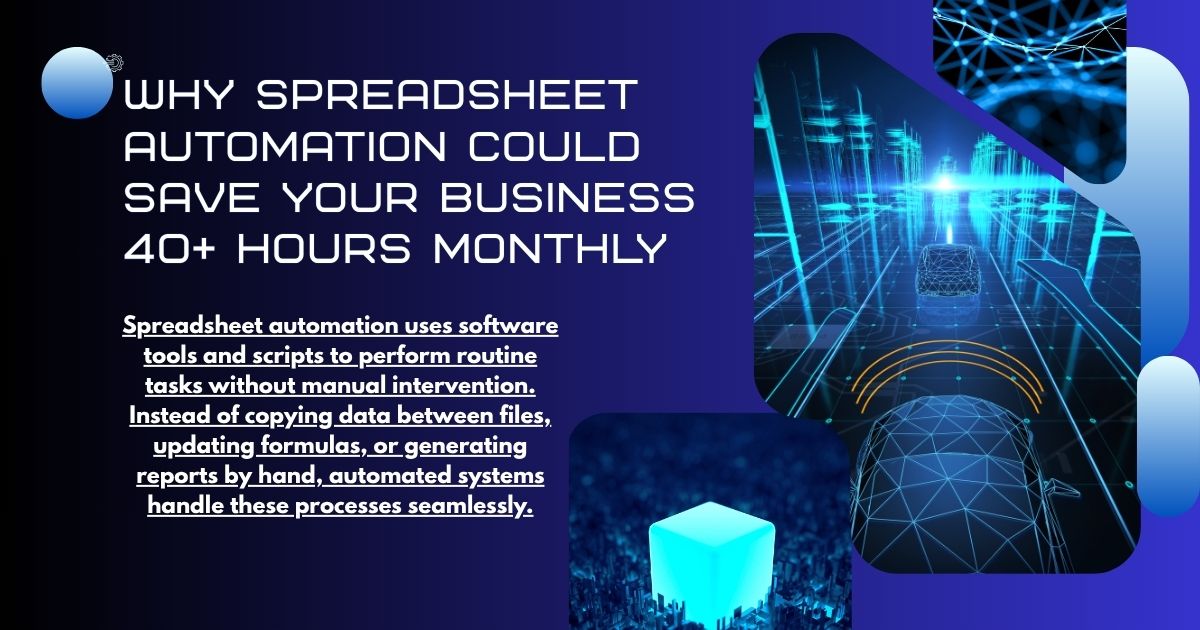
Spreadsheet automation uses software tools and scripts to perform routine tasks without manual intervention. Instead of copying data between files, updating formulas, or generating reports by hand, automated systems handle these processes seamlessly.
Common automation examples include:
- Automatically importing data from external sources
- Generating weekly reports with updated figures
- Sending alerts when values exceed certain thresholds
- Synchronizing information across multiple spreadsheets
Modern automation tools range from simple built-in functions to sophisticated platforms that connect spreadsheets with databases, web applications, and other business systems.
Major Benefits of Spreadsheet Automation

Dramatic Time Savings
The most immediate benefit of automation is time recovery. Teams typically spend 20-40% of their workweek on manual data tasks that could be automated.
Consider these time-consuming activities:
- Copying and pasting data between files
- Manually updating monthly reports
- Cross-referencing information across multiple sheets
- Reformatting data for different stakeholders
Automation handles these tasks in seconds rather than hours. A financial analyst who previously spent three hours weekly updating budget reports can now focus that time on analysis and strategic planning.
Elimination of Human Error
Manual data entry is prone to mistakes, which can lead to flawed analyses and operational inefficiencies. By automating data entry and calculations, organizations can significantly reduce the risk of errors. For practical solutions, see how to automate data entry in Google Forms. By automating data entry and calculations, organizations can significantly reduce the risk of such errors, ensuring more accurate, consistent, and reliable data. This not only improves decision-making but also builds trust in the information that teams rely on daily, freeing staff from constant error-checking and correction.
Automated systems eliminate these risks by:
- Ensuring consistent data formatting
- Applying formulas uniformly across datasets
- Reducing copy-paste errors
- Maintaining data integrity during transfers
One misplaced decimal point in a financial model can cost thousands of dollars. Automation removes this vulnerability entirely.
Enhanced Data Accuracy and Consistency
Automation plays a crucial role in maintaining high levels of data accuracy and consistency across an organization. By replacing manual entry and repetitive updates with automated workflows, information can be synchronized in real time across multiple systems and platforms. When a piece of data is updated in one location, automated processes ensure that the change is accurately reflected everywhere else, eliminating discrepancies that often arise from human oversight. This not only reduces errors and the need for manual reconciliation but also strengthens the reliability of reports, analytics, and decision-making. Over time, consistent and accurate data enhances operational efficiency, builds trust in organizational insights, and enables teams to focus on strategic initiatives rather than correcting mistakes.
This consistency proves especially valuable for:
- Financial reporting across departments
- Inventory management systems
- Customer relationship databases
- Project tracking and resource allocation
Teams spend less time reconciling conflicting data and more time acting on reliable information.
Improved Scalability
Manual processes often become major bottlenecks as businesses expand. As the volume of data, number of users, or complexity of workflows increases, organizations typically need to allocate proportionally more staff time to maintain operations. This approach is not only inefficient but also limits the ability to grow rapidly without significantly increasing costs. Automated systems, on the other hand, scale seamlessly to accommodate growing workloads. Whether processing hundreds of records or tens of thousands, automation can handle the volume consistently and accurately without additional human intervention. This capability allows businesses to expand operations, onboard new clients, or manage higher data throughput without the need for extra administrative resources. Ultimately, scalable automation supports sustainable growth, enhances operational efficiency, and frees teams to focus on strategic priorities rather than routine tasks.
Better Compliance and Audit Trails
Automated processes create clear audit trails showing exactly when and how data was modified. This documentation proves invaluable for:
- Regulatory compliance requirements
- Internal audits and reviews
- Quality assurance processes
- Troubleshooting data issues
Manual processes often lack this visibility, making it difficult to track changes or identify problems after they occur.
Real-Time Data Processing
Automation enables near-instant updates, supporting dynamic dashboards, alerts, and faster decision-making. Learn more about real-time data sync tools: top solutions to optimize your workflow.
Real-time processing benefits include:
- Faster decision-making based on current data
- Immediate alerts for critical issues
- Dynamic dashboards and visualizations
- Improved responsiveness to market changes
Types of Spreadsheet Automation

Built-in Automation Features
Modern spreadsheet applications include powerful automation capabilities:
Formulas and Functions: Advanced formulas can perform complex calculations, lookups, and data analysis automatically.
Conditional Formatting: Automatically highlights cells based on values, dates, or other criteria.
Data Validation: Prevents incorrect data entry by setting rules for acceptable inputs.
Pivot Tables: Automatically summarize and analyze large datasets without manual manipulation.
Macro Programming
Macro Programming allows repetitive task automation through recorded sequences. Learn how to master data entry automation in Excel for advanced macro techniques. Common macro applications include:
- Formatting reports consistently
- Performing complex calculations
- Generating charts and visualizations
- Cleaning and organizing data
While macros require some technical knowledge, they offer significant automation potential for routine tasks.
Third-Party Automation Tools
Specialized automation platforms connect spreadsheets with other business systems:
Zapier: Links spreadsheets with hundreds of web applications, automatically transferring data between systems.
Microsoft Power Automate: Integrates Excel with other Microsoft Office tools and external applications.
Google Apps Script: Provides advanced automation capabilities for Google Sheets users.
Dedicated Business Intelligence Tools: Platforms like Tableau or Power BI automatically pull data from spreadsheets to create dynamic reports and dashboards.
Implementation Strategies
Start with High-Impact, Low-Complexity Tasks
Begin automation efforts with simple, repetitive tasks that consume significant time. Examples include:
- Weekly report generation
- Data formatting and cleanup
- Basic calculations and summaries
- Email notifications based on spreadsheet values
These quick wins demonstrate automation value while building team confidence and expertise.
Identify Automation Opportunities
Audit your current spreadsheet workflows to identify automation candidates:
- Tasks performed multiple times per week
- Processes prone to human error
- Activities that delay decision-making
- Workflows that don’t require human judgment
Document these opportunities and prioritize based on potential time savings and implementation complexity.
Gradual Implementation Approach
Implement automation gradually rather than attempting to automate everything simultaneously. This approach allows teams to:
- Learn automation tools progressively
- Identify and resolve issues before they compound
- Maintain productivity during transition periods
- Build internal expertise and confidence
Training and Change Management
Successful automation requires proper training and change management:
- Provide comprehensive training on new tools and processes
- Address concerns about job security and role changes
- Establish clear procedures for maintaining automated systems
- Create documentation for troubleshooting and updates
Common Automation Challenges and Solutions

Technical Complexity
Some automation tools can be complex and require technical expertise that may not currently exist within your organization. This can make setup, customization, and troubleshooting challenging, potentially slowing adoption and reducing the effectiveness of automation initiatives.
Solution: Begin with user-friendly automation tools that feature drag-and-drop interfaces, pre-built templates, and guided workflows. These tools allow non-technical users to implement automation with minimal training. For more complex processes, consider partnering with automation consultants or specialists who can ensure proper setup, best practices, and efficient implementation. This approach balances accessibility with technical support, reducing barriers to adoption.
Data Quality Issues
Automation is only as effective as the data it processes. If source data is incorrect, inconsistent, or incomplete, automated processes will amplify these errors, potentially leading to flawed analyses, reports, or business decisions.
Solution: Establish robust data validation and cleaning processes before implementing automation. Define clear data entry standards, create error-checking rules, and conduct regular quality audits to ensure the accuracy and consistency of source data. By maintaining high-quality data, you ensure that automated workflows produce reliable and actionable results.
System Integration Challenges
Integrating spreadsheets and automation tools with other business systems—such as CRMs, ERP platforms, or databases—can be technically challenging. Differences in data formats, protocols, and system capabilities can create compatibility issues or data flow interruptions.
Solution: Leverage established integration platforms that provide pre-built connectors for common business applications. Thoroughly test integrations in a controlled environment before full deployment to identify and address potential issues. Document workflows and dependencies to simplify troubleshooting and ongoing system management.
Maintenance Requirements
Automated systems are not “set it and forget it.” Over time, business processes, system updates, or changing organizational needs may require modifications to automation workflows to ensure continued effectiveness.
Solution: Assign clear ownership for maintaining automated processes within your team or department. Schedule regular reviews to assess whether systems continue to meet business requirements and adjust workflows as needed. Maintain documentation of automated processes, dependencies, and change logs to simplify updates, troubleshooting, and onboarding of new team members.
Measuring Automation Success

Time Savings Metrics
Measure the efficiency gains achieved through automation by carefully tracking task completion times before and after implementation. Include both direct time savings, such as reduced hours spent on repetitive tasks, and indirect benefits, like the ability for team members to focus on higher-value strategic work. Over time, this data can highlight productivity improvements, help justify automation investments, and reveal areas where processes can be further optimized.
Error Reduction
Evaluate the accuracy and reliability of automated processes by comparing error rates with traditional manual methods. Track not only the frequency of mistakes but also their impact on operations, such as delays, rework, or cost implications. This insight helps quantify how automation enhances quality control, reduces operational risk, and ensures consistent outputs, making it easier to identify processes that benefit most from automation.
User Satisfaction
Assess the human side of automation by gathering feedback from team members who interact with the new tools. Conduct surveys or interviews to measure satisfaction with usability, time saved, and overall workflow improvements. Analyzing this feedback provides valuable insight into adoption rates, potential training needs, and the overall impact of automation on employee experience and engagement.
Business Impact
Connect automation benefits to broader business outcomes:
- Faster report generation enabling quicker decisions
- Improved data accuracy supporting better planning
- Reduced administrative costs through efficiency gains
- Enhanced scalability supporting business growth
Transform Your Spreadsheet Workflow Today
The spreadsheet provides convincing benefits for all sizes of organizations. From dramatic time savings to better data accuracy, automation equipment can convert regular administrative functions to strategic benefits.
The key to successful automation lies in less start, focusing on high -effect opportunities and gradually building competence in your organization. Begin by identifying the most early manual procedures and examining automation equipment that addresses these specific requirements.
Consider serving a pilot automation project with a small team or a single process. This approach allows you to show value, learn from experience and create speed for wide automation initiatives.
Remember that automation is not about changing human decisions, but about freeing people to focus on work, which requires creativity, analysis and strategic thinking. By automating regular tasks, your team can dedicate more time to activities that run real business value.
Automation converts routine work into strategic advantages. Start with high-impact tasks, pilot them with small teams, and expand gradually. Remember, automation is not about replacing human decision-making—it’s about freeing your team to focus on creativity, analysis, and strategy. Learn how automation can boost productivity in crypto and NFT marketing guide.
Frequently Asked Questions (FAQ)
Can spreadsheet automation completely replace manual work?
No, automation is designed to handle repetitive and structured tasks, but human judgment, strategic thinking, and decision-making are still essential. Automation frees up time for these high-value activities rather than eliminating roles.
Do I need coding skills to automate spreadsheets?
Not necessarily. Many modern tools like Microsoft Power Automate, Google Apps Script templates, and built-in spreadsheet functions allow automation with minimal coding. More advanced automation may require scripting knowledge, but most tasks can be accomplished without programming.
How do I choose which processes to automate first?
Start with tasks that are repetitive, time-consuming, and prone to errors. Weekly reporting, data formatting, and notifications are excellent starting points. Gradually expand to more complex workflows as your team gains confidence.
Is spreadsheet automation secure?
Yes, if implemented correctly. Using cloud-based tools with proper access controls, audit trails, and encryption ensures data security. Always follow organizational IT policies and best practices when integrating automation tools.
Can automation handle real-time data updates?
Absolutely. Many tools can pull data from multiple sources and update spreadsheets in real-time or near real-time. This capability supports dashboards, alerts, and dynamic reporting for faster decision-making.
What if my data is inconsistent or contains errors?
Automation amplifies errors if data quality is poor. Implement data validation, cleaning processes, and standardized formats before automating. Regular audits and quality checks ensure reliable outputs.
How can I measure the success of spreadsheet automation?
Measure time savings, reduction in errors, user satisfaction, and overall business impact. Tracking before-and-after task completion times and error rates provides concrete evidence of efficiency gains.