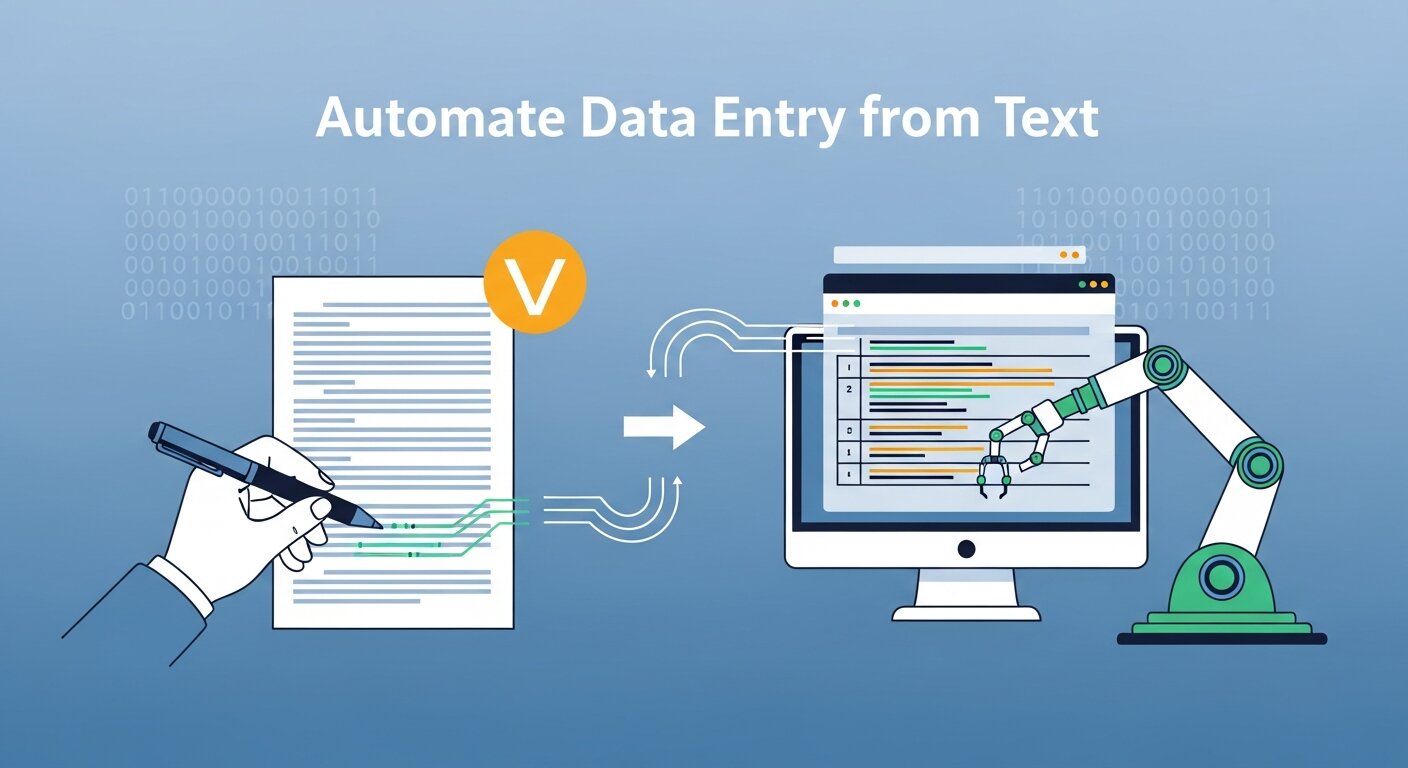
Mastering how to automate data entry is the definitive way to eliminate manual errors and reclaim hundreds of hours for your core business operations and strategic growth.
This guide explores the transition from manual data entry to intelligent document processing (IDP). We cover essential technologies like OCR and Machine Learning, provide a step-by-step automation roadmap, and review top tools to help you achieve a high-performance, automated workflow.
Understanding the Data Entry Challenge
Before diving into automation solutions, it’s important to recognize the scope of the problem. Traditional manual data entry typically involves:
- Reading information from physical or digital documents.
- Interpreting the relevant data points (dates, totals, names).
- Typing or copying that information into destination systems like a CRM or ERP.
- Verifying accuracy through tedious proofreading.
This process becomes exponentially more complex when dealing with inconsistent formats, handwritten text, or large volumes of documents. According to research shared by SEMrush, efficiency in digital workflows is the primary driver of modern business ROI. Knowledge workers spend approximately 4.5 hours per week on repetitive data tasks that could be automated.
The Evolution of Text-Based Data Entry Automation
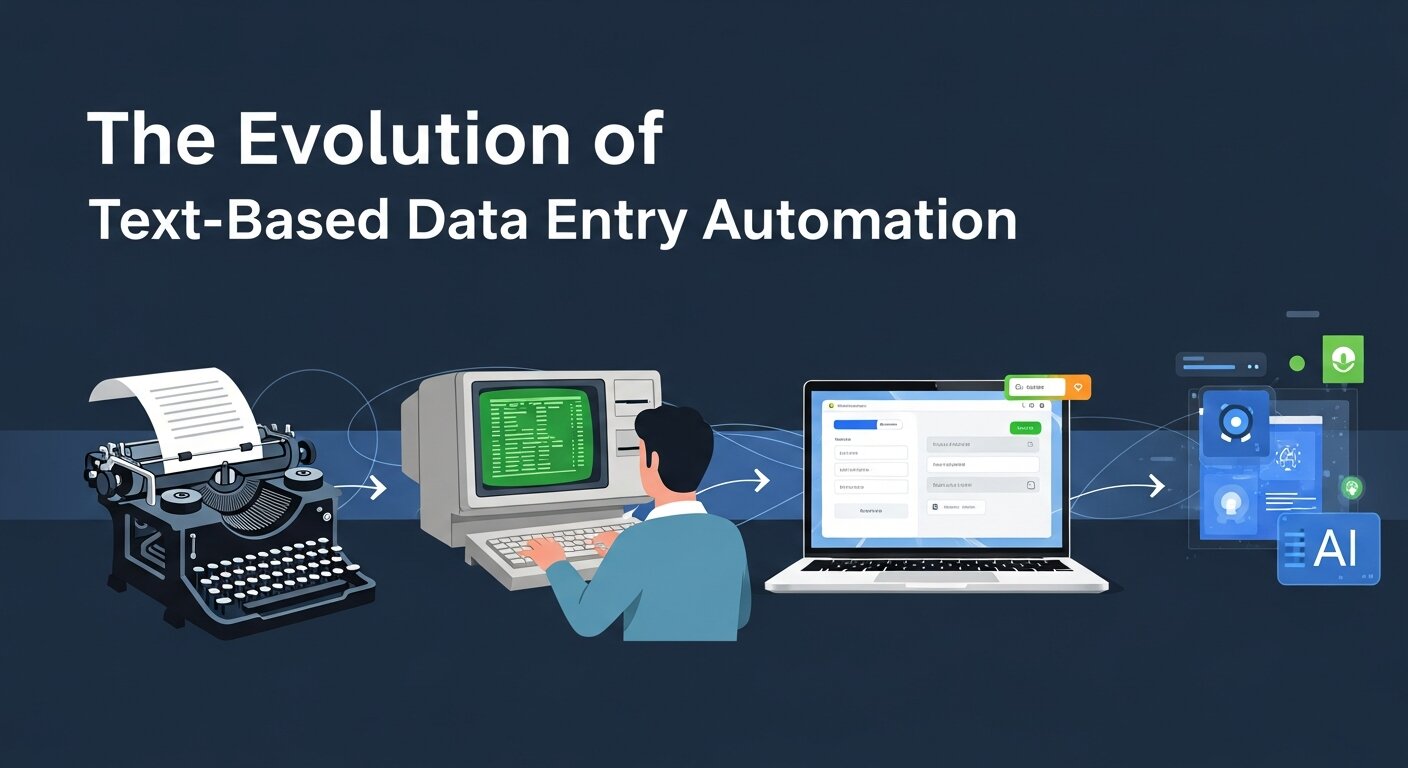
The journey from typing by hand to intelligent document processing has evolved significantly:
1. Basic OCR Technology
Optical Character Recognition (OCR) represented the first major breakthrough in learning how to automate data entry. Early OCR systems converted scanned images into machine-readable text but struggled with varied fonts and poor image quality.
2. Template-Based Extraction
The next evolution introduced systems that could identify specific fields within standardized documents. While effective for a manual invoice data entry replacement in a fixed format, they fail when a vendor changes their layout by even a few pixels.
3. Intelligent Document Processing (IDP)
Modern automation employs Artificial Intelligence in business to understand context. Unlike templates, IDP uses AI to “read” a document like a human, identifying an “Invoice Total” regardless of where it sits on the page.
Core Technologies Powering Data Entry Automation
To understand how to automate data entry effectively, you must grasp the “Big Three” technologies:
Optical Character Recognition (OCR)
Modern OCR engines have advanced significantly. They are no longer just about text recognition; they are about textual data entry precision.
- Multi-language support: Processing global invoices in different character sets.
- Handwriting recognition: Moving beyond printed text to cursive and block scripts.
Natural Language Processing (NLP)
NLP allows the machine to understand the meaning of words. If a document says “Net 30,” NLP understands this is a payment term, not a physical count of items. This is vital for Automated CRM data entry where context determines which field the data populates.
Machine Learning (ML)
ML is the “brain” that improves over time. By mastering real-time data, ML models learn from human corrections. If a human fixes a misinterpreted date, the system learns and doesn’t make that mistake on the next 1,000 documents.
Step-by-Step Guide to Automating Text-Based Data Entry
1. Document and Analyze Your Current Process
You cannot automate what you do not understand. Start by mapping your current manual data entry flow.
- How many manual invoice data entry tasks occur daily?
- Where does the data go? (e.g., Automated data entry Xero or QuickBooks).
- What are the common “edge cases”?
2. Data Classification and Preparation
Group your documents. Are they structured (standard forms), semi-structured (invoices), or unstructured (legal contracts)? This classification determines whether you need simple text expansion software or a full Business process automation tool.
3. Select the Right Automation Tools
Choosing the right software is the most critical step in learning how to automate data entry.
| Document Type | Recommended Technology | Example Tools |
| Structured Forms | Template-based OCR | Formstack, Parascript |
| Semi-Structured | AI-Powered IDP | Rossum, ABBYY FlexiCapture |
| Unstructured | LLM & Deep Learning | Google Document AI, Amazon Textract |
4. Integration and Workflow Design
Data shouldn’t just be extracted; it should move. Use real-time data transfer methods like APIs or middleware:
- Zapier/Make: Connects your OCR tool to thousands of apps.
- RPA (Robotic Process Automation): For manual data entry tasks in legacy systems that don’t have APIs.
5. Testing and Validation
Before going live, run a “Human-in-the-loop” pilot. Compare the automated output against a human expert to calculate your accuracy rate. Your goal should be “Straight-Through Processing” (STP), where the data moves without any human touching it.
Specialized Automation Scenarios

Mastering Automation in Excel Data Entry
Many businesses still rely on Automate excel spreadsheets. You can use Power Query or VBA, but modern users are turning to AI add-ins that can automate website data entry directly into a workbook. This bridges the gap between web-based research and local reporting.
Automated CRM and ERP Entry
For B2B companies, Automated CRM data entry (such as HubSpot data entry) is a game-changer. By connecting your email inbox to your CRM via an automation layer, you can create leads, update deal stages, and log contact info without lifting a finger.
Web and Browser Automation
If your task involves moving data from a website to another portal, you should automate browser data entry. Tools like Selenium or specialized browser extensions can mimic human clicks, which is perfect for Website data entry automation.
The Business Case: Why Automation Wins
Implementing how to automate data entry isn’t just about speed; it’s about the Digital Marketing Success Stories that follow.
- B2B Lead Generation: Use automation to scrape and organize lead data from Webinar Lead Generation Strategies.
- Financial Accuracy: Automated data entry Xero integrations ensure that your books are balanced in real-time, facilitating better Marketing Analytics Data decisions.
- Scalability: A Virtual Assistant can only type so fast, but an automated script can process 10,000 rows of data in seconds.
Common Challenges and Solutions
1. Poor Quality Documents
Challenge: Faded receipts or blurry scans.
Solution: Use image pre-processing routines (de-skewing, de-speckling) before the OCR layer hits the document.
2. Legacy System Integration
Challenge: Your 20-year-old accounting software has no API.
Solution: Use RPA to “mimic” a human user, allowing you to automate data entry into the old interface.
3. High Costs of Entry
Challenge: Enterprise IDP tools are expensive for a Small Business.
Solution: Look into Automation for small businesses using low-code platforms or pay-per-page cloud services from Google or Microsoft.
most time each week.
To truly master how to automate data entry, we must look beyond simple text extraction and explore how these workflows integrate into broader business strategies—from brand management to viral marketing.
Here are the expanded sections to deepen your guide and integrate your strategic keywords.
Branding and Reputation Management

When you learn how to automate data entry, you aren’t just saving time; you are protecting your brand’s integrity. In luxury brand marketing, a single data entry error in a customer’s profile can damage the brand perception in marketing and erode trust.
- Brand Consistency: Automated systems ensure that your brand voice remains consistent across all platforms by pulling data from a single, verified source of truth.
- Reputation Management: By using brand monitoring services integrated with automated data feeds, you can respond to a brand crisis management situation in real-time.
- Brand Equity KPIs: Automation allows for the instantaneous tracking of brand equity in marketing, moving data from social listening tools directly into your marketing analytics tools.
Advanced Web Scraping and Browser Automation
For many, the challenge isn’t just internal documents, but external data. Website data entry automation and learning to automate browser data entry are essential for competitive analysis.
- Competitive Brand Analysis: Use automate website data entry tools to scrape competitor pricing and product launches, feeding them directly into your brand strategy roadmap.
- Market Intelligence: By mastering real-time data from the web, your team can pivot their brand positioning strategy based on live market shifts rather than month-old reports.
- Lead Generation: B2B lead generation thrives when you can automate browser data entry to pull contact information from LinkedIn or industry directories into your HubSpot data entry pipeline.
Automation in the World of Virtual Events and Webinars
Modern B2B digital marketing strategies rely heavily on webinars. However, the data generated by these events can be overwhelming without a plan for how to automate data entry.
Maximizing Webinar ROI
- Webinar Lead Generation Strategies: Use automation for small businesses to sync registration lists with your email marketing provider.
- Real-Time Engagement: Use event tech tools to track which people attend Salesforce webinars and automatically tag them in your CRM based on their behavior (e.g., “watched 90% of the video”).
- Follow-Up Emails: Automation can trigger personalized follow-up emails immediately after a session, turning a live webinar software interaction into a hot lead.
| Task | Manual Method | Automated Method |
| Attendee Logging | Typing names from a CSV | API sync to HubSpot data entry |
| Lead Scoring | Subjective guessing | Marketing analytics data triggers |
| Certificate Issuance | Manual PDF creation | Automated webinar in resume validation |
Leveraging AI for Trend Marketing and Viral Growth
In the era of viral content marketing, speed is the only currency that matters. If you can’t process data quickly, you miss the “micro-trend” window.
Predictive Trend Marketing
By mastering video analytics and ai-driven trend forecasting, businesses can identify trending webinar topics before they peak. Using real-time trend marketing data allows you to:
- Build a viral marketing funnel that captures attention.
- Apply the psychology of trend marketing to your brand storytelling.
- Ensure brand safety in digital marketing by filtering out negative trends using sentiment analysis.
Viral Content and Sustainable Growth
While viral marketing on TikTok might seem spontaneous, the most successful campaigns are backed by marketing analytics hacks. They use data entry automation software to track mentions, shares, and conversions in a brand strategy framework that ensures the “viral” moment leads to “sustainable” brand growth.
Overcoming Technical Debt and Implementation Hurdles

Transitioning from manual data entry to an automated powerhouse requires a clear brand strategy guide.
- Legacy System Bridges: If your accounting software is old, RPA (Robotic Process Automation) acts as the bridge, performing textual data entry tasks just like a human clerk would.
- Ethical Branding: Ensure your automation respects privacy. High-quality digital reputation management requires that your online PR services and data tools are transparent and secure.
- Building Brand Authority: When your data is accurate, your reports are reliable. This builds brand authority in your niche, making you a trusted source of information.
Conclusion
Learning how to automate data entry is the ultimate “force multiplier” for your business. By moving away from manual data entry and embracing Artificial Intelligence in business, you don’t just save time—you build a foundation for scalable, error-free growth. Start your automation journey today by auditing your most repetitive document tasks.
Frequently Asked Questions
1. What is the fastest way to automate data entry from PDFs?
The fastest way is using an AI-based IDP tool like Rossum or Google Document AI. These tools “read” the PDF and export the data directly to Excel, CSV, or your CRM via API.
2. Can I automate data entry in Excel without coding?
Yes, by using Mastering automation in excel data entry through tools like Power Query or AI-powered Excel add-ins that handle the extraction for you.
3. Is OCR 100% accurate?
No. While modern OCR can reach 99% accuracy, “Human-in-the-loop” verification is still recommended for critical financial or medical data.
4. How does AI improve data entry automation?
AI uses Machine Learning to recognize patterns. It doesn’t need to be told where a field is; it “understands” that a 10-digit number near a name is likely a phone number.
5. What is the difference between OCR and IDP?
OCR turns images into text. IDP (Intelligent Document Processing) uses OCR plus AI to categorize, extract, and validate that text into usable data.
6. Can I automate data entry from handwritten notes?
Yes, advanced engines like AWS Textract and Google Cloud Vision have high success rates with textual data entry involving handwriting.
7. Is it safe to automate sensitive data entry?
Yes, provided you use SOC2-compliant tools and follow Brand Safety In Digital Marketing protocols regarding data encryption and privacy.
8. How much time can I save by automating data entry?
Most businesses report a 70-90% reduction in manual processing time, allowing staff to move from “typing” to “analyzing.”
9. What is RPA in the context of data entry?
Robotic Process Automation (RPA) uses “bots” to navigate software interfaces just like a human would, making it ideal for Automate browser data entry.
10. How do I start automating for a small business?
Start small with a tool like Zapier or a simple OCR plug-in for your accounting software. Focus on the one process that takes the