

Smart workflow systems help businesses simplify complex processes by connecting tasks, automating repetitive activities, and improving coordination between teams. As organizations grow, managing multiple projects, approvals, customer requests, and daily operations becomes increasingly challenging. Manual processes can create delays, increase the risk of errors, and make it difficult for employees to maintain consistent performance.
From managing customer information to coordinating marketing campaigns, these systems help businesses reduce unnecessary work and improve operational visibility. Workflow automation allows repetitive tasks to run according to predefined rules, while integrations connect different business applications and reduce manual data entry. Specialized applications such as SEO automation and content automation can also help marketing teams manage research, publishing, reporting, and content workflows more efficiently.
By implementing the right solutions, businesses can improve productivity, strengthen collaboration, and make better use of their resources. Understanding how smart workflow systems operate can help organizations identify process bottlenecks, reduce operational complexity, and build more scalable business operations.
What Are Smart Workflow Systems?
Smart workflow systems are digital platforms that organize, coordinate, and automate business tasks according to predefined rules, triggers, and conditions. They help employees understand what needs to happen, who is responsible, and when each activity should be completed. By connecting people, information, and applications, these systems make complex business processes easier to manage and monitor.
How Smart Workflow Systems Operate
A smart workflow typically begins when a specific event occurs, such as receiving a customer inquiry, submitting a document, or creating a new project. The system then initiates the appropriate actions, assigns tasks, sends notifications, or requests approvals based on configured rules. More advanced systems may use artificial intelligence to classify information, recommend next steps, or assist with decision-making while keeping important human approvals in place.
The Difference Between Traditional and Smart Workflows
Traditional workflows often depend on spreadsheets, email exchanges, manual reminders, and individual employee decisions. These methods can become difficult to manage as task volume increases. Smart workflows centralize process information, automate routine actions, and provide greater visibility into progress. Employees can spend less time coordinating administrative work and more time handling activities that require judgment, creativity, and specialized expertise.
How Workflow Automation Simplifies Daily Operations

Workflow automation simplifies daily operations by replacing repetitive manual steps with consistent, rule-based processes. Businesses can automate task assignments, notifications, data transfers, approval requests, and status updates. This reduces administrative effort and makes it easier for teams to complete routine activities accurately. Automated workflows also help managers identify delays and understand where additional resources or process improvements may be needed.
Automating Repetitive Business Tasks
Many business processes involve recurring activities that follow predictable steps. Employee onboarding, invoice processing, appointment scheduling, and customer inquiry management are common examples. Workflow automation can trigger the appropriate actions whenever specific conditions are met, reducing the need for employees to repeat the same administrative work. This consistency helps businesses manage increasing workloads without unnecessarily increasing manual effort.
Reducing Errors and Process Delays
Manual processes can introduce errors when employees enter information repeatedly, overlook instructions, or forget important deadlines. Smart workflow systems reduce these risks by applying standardized rules and automating routine checks. Automated reminders can highlight overdue tasks, while validation steps can identify missing information before a process moves forward. Human review remains important for exceptions and decisions that require contextual understanding.
Improving Team Collaboration and Communication
Complex business processes often involve several departments, multiple approval stages, and shared responsibilities. Without a clear coordination system, employees may struggle to track updates or determine who should complete the next task. Smart workflow systems create a more organized working environment by centralizing information, assigning responsibilities, and helping teams coordinate activities across departments and projects.
Centralizing Tasks and Responsibilities
A centralized workflow gives employees a clearer view of their assigned responsibilities, deadlines, and task dependencies. Instead of searching through different email conversations or spreadsheets, team members can access relevant information from a shared platform. Managers can monitor progress, identify outstanding tasks, and redistribute workloads when necessary, improving accountability and reducing confusion across the organization.
Streamlining Approvals and Internal Requests
Approval processes frequently slow down business operations when requests move manually between departments. Smart workflows can route documents, purchase requests, marketing materials, and other submissions to the appropriate decision-makers. Notifications and escalation rules help prevent unnecessary delays, while approval histories make it easier to understand decisions and maintain consistent internal procedures.
How SEO Automation Simplifies Digital Marketing Workflows

SEO automation helps digital marketing teams organize recurring search engine optimization activities, reduce repetitive administrative work, and monitor website performance more efficiently. By connecting research, technical checks, reporting, and task management, businesses can establish more consistent SEO workflows. Automation supports the execution of SEO strategies, but human expertise remains essential for interpreting search intent, evaluating content quality, and making strategic decisions.
Automating SEO Monitoring and Reporting
SEO teams often need to monitor keyword performance, website indexing, technical issues, backlinks, and organic traffic. Automation can collect available data, generate scheduled reports, and notify team members when important changes require attention. These workflows reduce manual reporting effort and help marketers identify potential problems more quickly without replacing the need to investigate the underlying causes.
Managing SEO Tasks More Efficiently
SEO campaigns include interconnected tasks such as keyword research, content optimization, internal linking, technical audits, and performance reviews. Smart workflow systems can assign these activities to appropriate team members, establish deadlines, and track completion. For businesses managing multiple websites or large content libraries, this structured approach helps maintain consistency and ensures that important optimization tasks receive attention.
How Content Automation Simplifies Content Management
Content automation helps businesses organize repetitive activities involved in planning, producing, reviewing, publishing, and maintaining digital content. When content teams manage numerous articles, landing pages, social posts, and updates, disconnected tools can create delays and inconsistent processes. Smart workflow systems connect these activities into a coordinated sequence, allowing teams to maintain publishing schedules while preserving editorial standards and quality control.
Streamlining Content Planning and Production
Content teams can use workflow automation to move topics through research, briefing, drafting, editing, approval, and publication stages. When one stage is completed, the system can notify the next responsible person or update the content status automatically. This process improves visibility, clarifies responsibilities, and helps editors identify bottlenecks before they disrupt the publishing calendar.
Maintaining Content Quality and Publishing Consistency
Automated workflows can support editorial checklists, metadata reviews, scheduled reminders, and approval requirements before content goes live. AI tools may assist with outlining, categorization, or initial quality checks, but factual accuracy, originality, brand voice, and search intent still require appropriate human review. Combining automation with editorial oversight helps businesses publish consistently without sacrificing content quality.
Connecting Business Applications Through Smart Workflow Systems
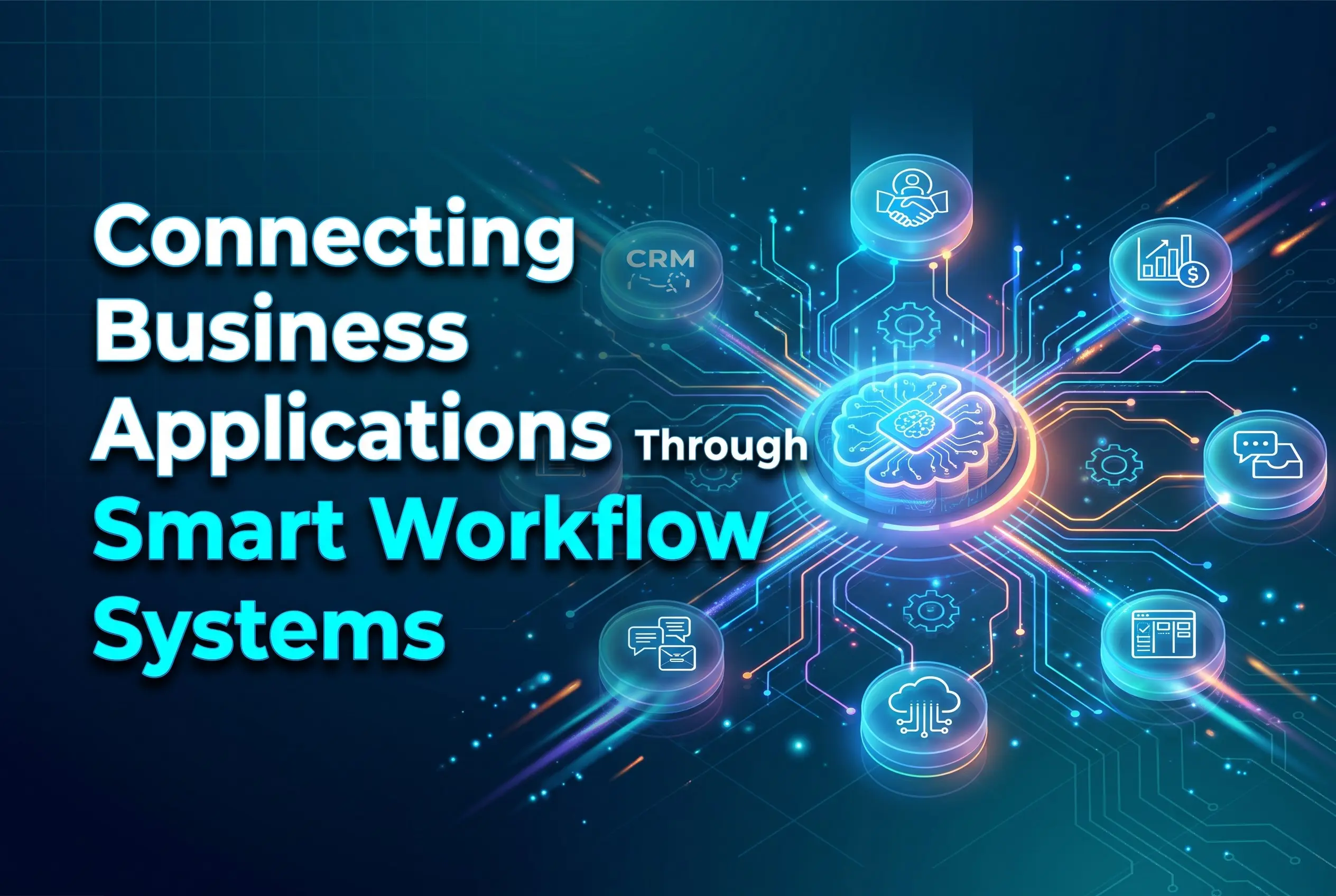
Businesses frequently use separate applications for customer relationship management, accounting, marketing, project management, and communication. When these systems do not share information effectively, employees may need to transfer data manually or repeat the same tasks across multiple platforms. Smart workflow systems connect compatible applications through integrations, allowing information and actions to move between tools according to defined business rules.
Integrating Data Across Different Platforms
Application integrations can synchronize relevant customer records, update project statuses, and transfer information between connected services. For example, a new inquiry submitted through a website could create a CRM record, notify a sales representative, and initiate a follow-up task. These connections reduce duplicate data entry and help teams maintain a more consistent view of business activities.
Building a More Connected Business Process
Connected workflows help businesses manage processes that extend across multiple departments. A completed sale might trigger an invoice request, an onboarding workflow, and a customer support notification. By linking these stages, businesses can reduce handoff delays and create a more consistent experience for both employees and customers. Integrations should be tested carefully to prevent incorrect transfers or unintended actions.
Using Smart Workflow Systems to Improve Customer Service
Customer service processes become complicated when requests arrive through email, websites, phone calls, and messaging platforms. Smart workflow systems help businesses organize incoming inquiries, route requests to suitable employees, and track unresolved issues. By combining automation with clear service procedures, organizations can improve response consistency, reduce missed requests, and provide customers with more reliable support throughout their interactions.
Automating Customer Requests and Follow-Ups
When a customer submits an inquiry, a workflow can create a support ticket, assign it to the appropriate team, and send an acknowledgment. Additional rules can trigger reminders when a request remains unresolved or notify a manager when escalation is required. These processes help service teams manage workloads while ensuring that customers receive appropriate updates.
Improving Customer Experience Through Faster Responses
Customers expect timely, accurate information when they contact a business. Automated routing and access to relevant customer records can help employees respond more efficiently without requiring customers to repeat information unnecessarily. However, automation should make human support easier to access when a request is sensitive, complicated, or outside the system’s capabilities.
The Role of Artificial Intelligence in Smart Workflow Systems
Artificial intelligence can extend workflow automation beyond simple rules by helping systems interpret information, classify requests, summarize documents, and recommend actions. These capabilities can be useful when businesses handle large volumes of unstructured information or processes that require different responses depending on context. Effective implementation requires suitable data, clear boundaries, and human oversight for consequential decisions.
Intelligent Task Routing and Decision Support
AI-enabled systems can categorize incoming requests, identify relevant documents, and recommend which team should handle a task. For example, a customer inquiry about billing could be directed toward finance, while a technical issue could be assigned to support. Businesses should test these recommendations carefully and provide escalation paths when the system is uncertain or makes an incorrect classification.
Balancing Automation With Human Oversight
Not every business decision should be automated. Financial approvals, sensitive customer complaints, compliance matters, and decisions with significant consequences may require direct human review. Businesses should define which activities can run automatically, which need approval, and how errors will be corrected. This approach allows organizations to benefit from efficiency while maintaining accountability and appropriate control.
Best Practices for Implementing Smart Workflow Systems
Successful implementation begins with understanding existing business processes rather than automating every task immediately. Businesses should identify recurring problems, define measurable objectives, and select workflows where automation can deliver clear value. A phased approach helps teams test improvements, address integration challenges, and adapt to new procedures before expanding automation across more complex operations.
Identify Bottlenecks Before Automating
Businesses should map their current processes to understand where delays, duplicate tasks, unnecessary approvals, or information gaps occur. Automating an inefficient process without redesigning it can preserve the same problems in a faster system. Reviewing each step helps organizations remove unnecessary activities and create a more logical workflow before implementing automation tools.
Select Tools That Match Business Requirements
The right workflow platform depends on business size, technical requirements, existing software, security needs, and budget. Companies should evaluate integration capabilities, reporting features, access controls, scalability, and ease of use. Choosing tools that work with existing systems can reduce implementation complexity and help employees adopt the new processes more confidently.
Monitor Results and Continuously Improve
Workflow performance should be measured against clear objectives, such as reduced processing time, fewer errors, faster response rates, or improved task completion. Regular reviews help businesses identify unexpected problems and determine whether automation is producing the intended benefits. Updating rules, refining integrations, and collecting employee feedback can keep workflows effective as business needs change.
Measuring the Business Benefits of Smart Workflow Systems

Measuring results helps businesses determine whether smart workflow systems improve productivity and justify their implementation costs. Useful measurements include task completion time, error frequency, processing costs, overdue requests, and employee time spent on repetitive work. Establishing a baseline before implementation makes it easier to compare results and identify where further improvements are needed.
Tracking Efficiency and Productivity
Businesses can compare how long a process takes before and after automation, while also reviewing error rates and workload distribution. For example, automatically routing customer requests may reduce manual assignment time and improve visibility into unresolved cases. Results should be interpreted in context because process complexity, staffing levels, and seasonal demand can affect performance.
Evaluating Return on Investment
Workflow automation ROI depends on implementation costs, software subscriptions, maintenance, training, and the value of time saved or errors avoided. Businesses should compare these costs with measurable operational benefits over an appropriate period. A practical evaluation also considers customer satisfaction, employee experience, and scalability, rather than relying only on short-term cost reductions.
Conclusion
Smart workflow systems help businesses simplify complex operations by automating repetitive tasks, coordinating teams, connecting applications, and improving process visibility. From customer service and project management to SEO automation and content automation, these systems allow organizations to reduce manual effort and establish more consistent ways of working.
Successful implementation requires more than selecting an automation platform. Businesses must understand their existing processes, identify bottlenecks, choose suitable tools, and establish clear rules for automation and human review. Performance monitoring and continuous improvement are equally important for achieving lasting results.
Frequently Asked Questions (FAQs)
1. What are smart workflow systems?
Smart workflow systems are digital platforms that organize, coordinate, and automate business processes. They connect tasks, people, and applications to improve efficiency, reduce repetitive work, and provide better visibility into ongoing operations.
2. How do smart workflow systems simplify complex business processes?
They divide complex processes into manageable steps, automate routine activities, assign responsibilities, and coordinate approvals. This reduces manual coordination, improves task tracking, and helps businesses identify bottlenecks more effectively.
3. What is workflow automation?
Workflow automation uses software to perform predefined tasks and actions when specific conditions are met. Examples include assigning customer inquiries, sending notifications, routing approval requests, and updating project records automatically.
4. How does SEO automation support business operations?
SEO automation helps teams manage recurring activities such as performance reporting, technical monitoring, keyword tracking, and task scheduling. It reduces repetitive administrative work while allowing SEO professionals to focus on analysis and strategy.
5. What is content automation?
Content automation uses tools and predefined workflows to organize activities such as content planning, drafting support, editing coordination, approvals, scheduling, and publishing. Human review remains important for accuracy, originality, and editorial quality.
6. Can small businesses benefit from smart workflow systems?
Yes. Small businesses can automate repetitive administrative tasks, organize customer inquiries, coordinate projects, and manage marketing activities more efficiently. Starting with a simple, high-impact workflow can make implementation more manageable.
7. Do smart workflow systems use artificial intelligence?
Some systems incorporate AI to classify information, summarize documents, recommend actions, or route tasks. Others rely primarily on predefined rules and triggers. The available capabilities depend on the platform and its integrations.
8. How do smart workflow systems reduce business errors?
They standardize routine processes, validate information, trigger reminders, and reduce repeated manual data entry. However, businesses still need appropriate testing, monitoring, and human review to identify automation errors and unusual situations.
9. How can businesses measure workflow automation success?
Businesses can track processing time, error rates, operating costs, overdue tasks, employee productivity, and customer response times. Comparing these metrics before and after implementation helps determine whether workflows are delivering measurable improvements.
10. What should businesses consider before implementing smart workflow systems?
Businesses should evaluate their existing processes, automation goals, budget, integration requirements, security needs, employee training, and scalability. Choosing a suitable starting process and monitoring results can help ensure a more successful implementation.