
Automated task management is transforming how businesses organize daily operations, assign responsibilities, and measure employee performance. By reducing repetitive administrative work and simplifying workflows, companies can help employees focus on meaningful tasks, meet deadlines, and collaborate more effectively.
When combined with technologies such as Marketing automation, Automated brand creation, and Brand automation, automated task management can improve consistency across departments and support more efficient business operations. Organizations that implement these systems strategically can create a more organized working environment, improve accountability, and help employees achieve better results without adding unnecessary complexity to their daily responsibilities.
Understanding Automated Task Management in the Workplace
Automated task management uses digital tools and predefined workflows to organize, assign, track, and update tasks with minimal manual intervention. These systems help employees understand their responsibilities, monitor deadlines, and manage priorities from a centralized platform. By improving workflow visibility and reducing administrative demands, businesses can create a structured working environment that supports productivity and consistent employee performance.
How Automated Task Management Works
Automated task management platforms use predefined rules, triggers, notifications, and integrations to coordinate routine activities. For example, when a marketing team completes a content draft, the system can automatically notify the editor and assign the next review task. This reduces unnecessary communication, minimizes manual updates, and helps employees move between responsibilities without losing track of important deadlines.
Why Businesses Are Adopting Task Automation
Businesses increasingly rely on automation to manage growing workloads, coordinate distributed teams, and maintain consistent operational processes. Manual task tracking can create confusion when responsibilities change or multiple employees work on the same project. Automated systems provide greater visibility into task ownership and progress, allowing managers to identify delays, distribute workloads, and make better decisions about available resources.
How Automated Task Management Improves Employee Productivity
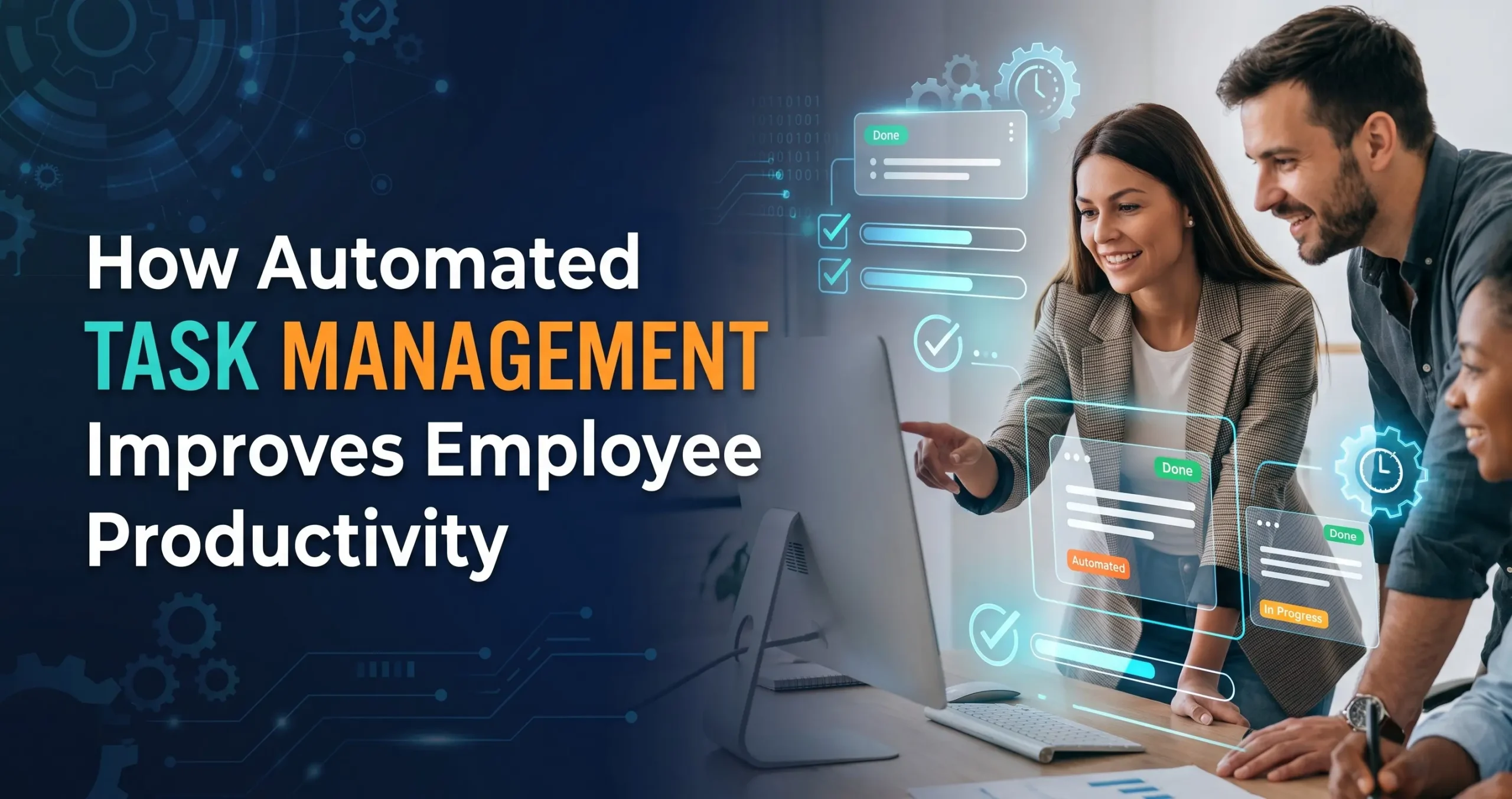
Employee productivity depends on how effectively people use their time, access information, and prioritize responsibilities. Automated task management helps employees spend less time organizing routine activities and more time completing valuable work. By simplifying scheduling, reminders, task assignments, and progress tracking, these systems create a more predictable workflow that supports consistent performance across different departments.
Reducing Repetitive Administrative Work
Employees often spend valuable working hours updating spreadsheets, sending reminders, assigning tasks, and preparing routine status reports. Automation can handle many of these repetitive activities through predefined workflows and scheduled notifications. As a result, employees can dedicate more attention to problem-solving, customer communication, creative thinking, and other responsibilities that require human judgment and specialized expertise.
Improving Task Prioritization and Time Management
Automated systems can organize tasks according to deadlines, assigned priorities, project stages, and dependencies. Employees can see which responsibilities require immediate attention and which activities can wait. Timely reminders also help prevent missed deadlines and forgotten assignments. When priorities are clear, employees can manage their schedules more confidently and complete work with fewer unnecessary interruptions.
Strengthening Accountability and Employee Performance
Clear accountability helps employees understand what they need to accomplish and how their work contributes to wider business goals. Automated task management provides structured assignments, visible deadlines, and progress updates that make responsibilities easier to monitor. These capabilities help managers evaluate workflow performance while giving employees a clearer understanding of their individual contributions and outstanding commitments.
Creating Clear Responsibilities and Ownership
When tasks are assigned through an organized system, employees can identify the person responsible for each activity and understand what completion requires. Automated notifications help communicate new assignments and changes in responsibility. This reduces uncertainty, limits duplicated effort, and makes collaboration easier when projects involve several departments or employees working toward shared objectives.
Monitoring Progress Without Excessive Supervision
Automated dashboards and progress reports allow managers to review task completion, identify bottlenecks, and understand workload distribution. Instead of repeatedly asking employees for status updates, managers can use available information to determine where support is needed. However, these tools should encourage constructive coaching rather than excessive monitoring, helping employees maintain autonomy while remaining accountable for agreed-upon outcomes.
Improving Team Collaboration Through Workflow Automation
Team collaboration becomes more effective when employees can access the same information, understand project requirements, and communicate changes promptly. Workflow automation connects tasks, notifications, approvals, and shared documents within a consistent process. This reduces information gaps between departments and helps employees coordinate their efforts without relying entirely on manual messages or repeated meetings.
Simplifying Communication Between Departments
Cross-functional projects often involve marketing, sales, design, customer service, and management teams. Automated workflows can notify the appropriate department when an activity requires attention or approval. For example, an approved campaign brief can trigger a design assignment and notify the marketing manager. These coordinated processes help reduce delays and maintain continuity between related responsibilities.
Supporting Remote and Hybrid Employees
Remote and hybrid teams need clear communication and reliable access to project information. Automated task management platforms provide shared task boards, deadline reminders, and progress updates that help employees stay informed regardless of location. This structure makes it easier for distributed teams to coordinate work, manage expectations, and maintain productivity without depending on constant real-time supervision.
The Role of Marketing Automation in Employee Performance

Marketing automation supports employee performance by organizing repetitive marketing activities, including campaign scheduling, email sequences, lead assignment, and performance reporting. When connected with automated task management, these systems help marketing teams coordinate their responsibilities more efficiently. Employees can focus on campaign strategy, audience insights, and creative improvements while automated workflows handle routine execution and internal notifications.
Streamlining Marketing Campaign Workflows
Marketing campaigns often require multiple stages, including planning, content creation, review, approval, scheduling, and performance analysis. Automated workflows can assign responsibilities at each stage and notify employees when the next action becomes necessary. This improves coordination, reduces approval delays, and helps teams maintain consistent campaign schedules without manually tracking every individual activity.
Connecting Marketing Tasks With Performance Data
Marketing automation platforms can provide information about email engagement, lead generation, campaign activity, and conversion performance. When employees have access to relevant reporting, they can identify which activities are working and where improvements may be necessary. Combining these insights with task management helps teams translate performance findings into specific actions, deadlines, and measurable improvements.
How Automated Brand Creation and Brand Automation Support Teams
Automated brand creation uses digital tools and predefined design systems to help businesses produce consistent brand assets more efficiently. Brand automation extends this concept by streamlining recurring activities such as template management, asset distribution, approval workflows, and brand guideline enforcement. These approaches can reduce repetitive work for creative teams while helping employees maintain a consistent brand identity across marketing channels.
Making Brand Asset Creation More Efficient
Employees responsible for marketing and design often need to create similar materials for different campaigns, platforms, and audiences. Automated brand creation tools can generate initial layouts, adapt approved templates, and organize reusable brand elements. Human review remains important to ensure that the resulting materials are accurate, appropriate, accessible, and aligned with the company’s positioning and communication goals.
Maintaining Consistency Through Brand Automation
Brand automation can help employees use approved logos, fonts, colors, templates, and messaging across business communications. Centralized asset libraries and automated approval processes reduce the likelihood of outdated materials being reused. By making brand resources easier to find and apply, organizations can simplify creative workflows and allow employees to concentrate on producing relevant, high-quality content.
Reducing Workplace Stress and Improving Employee Satisfaction
Disorganized workflows, unclear expectations, and repeated administrative demands can create unnecessary workplace pressure. Automated task management helps employees understand their responsibilities, receive timely reminders, and access the information needed to complete assignments. When implemented thoughtfully, these systems can make workloads more manageable, reduce avoidable confusion, and create a more supportive environment for sustained employee performance.
Preventing Missed Deadlines and Workflow Confusion
Automated reminders and task dependencies help employees recognize approaching deadlines and understand when another person’s work must be completed first. These features reduce the need to remember every commitment manually. Clear task information also helps employees identify potential delays earlier, communicate concerns, and coordinate adjustments before minor issues affect larger projects.
Supporting Better Workload Distribution
Task management systems can make workload imbalances easier to identify by showing assignments, deadlines, and ongoing responsibilities. Managers can use this information to redistribute work when some employees are overloaded while others have available capacity. Fair workload allocation supports more realistic deadlines, reduces unnecessary pressure, and helps employees maintain a consistent level of performance over time.
Best Practices for Implementing Automated Task Management
Successful implementation requires more than purchasing software and assigning employees access. Businesses should understand existing workflows, identify repetitive tasks, and determine which activities would benefit most from automation. A thoughtful rollout combines appropriate technology, clear processes, employee training, and regular evaluation to ensure automation improves daily work rather than introducing additional complexity.
Choose Tools That Match Business Requirements
The right platform should support the organization’s task volume, team structure, reporting requirements, and existing software integrations. Businesses should evaluate usability, permissions, notification controls, scalability, and automation capabilities before making a decision. Selecting tools that fit real operational needs helps employees adopt the system more easily and reduces the risk of maintaining unnecessary or disconnected applications.
Train Employees and Improve Workflows Gradually
Employees need to understand how tasks are assigned, how automated notifications work, and where they can find project information. Practical training and clear documentation help reduce confusion during adoption. Businesses should begin with a manageable workflow, collect employee feedback, and make adjustments before expanding automation to additional departments or more complicated operational processes.
Measuring the Impact of Automated Task Management
Measuring outcomes helps businesses determine whether automation genuinely improves employee performance. Useful evaluation methods consider task completion time, deadline adherence, workload balance, error rates, and employee feedback. Organizations should establish a baseline before implementation and compare results over time, accounting for differences in task complexity and working conditions rather than relying on a single productivity measure.
Tracking Productivity and Workflow Efficiency
Businesses can review how long common tasks take, how frequently deadlines are missed, and where work regularly becomes delayed. These measurements can reveal whether automated reminders, assignments, and approvals are reducing friction. Managers should interpret the findings in context because faster task completion does not always mean better quality or greater business value.
Using Employee Feedback for Continuous Improvement
Employees experience the daily effects of automation directly, making their feedback essential for evaluating its usefulness. Regular discussions can reveal unnecessary notifications, confusing workflows, or tasks that still require too much manual effort. By combining employee feedback with performance data, organizations can refine automation rules, improve usability, and ensure technology continues to support the people using it.
Frequently Asked Questions
1. What is automated task management?
Automated task management uses digital software and predefined workflows to assign, organize, track, and update tasks. It reduces manual coordination and helps employees manage responsibilities more efficiently.
2. How does automated task management improve employee performance?
It reduces repetitive administrative work, clarifies responsibilities, provides deadline reminders, and improves access to task information. Employees can spend more time on important work and less time managing routine processes.
3. Can automated task management reduce workplace stress?
Yes, it can reduce stress caused by unclear assignments, forgotten deadlines, and disorganized workflows. However, automation should be implemented carefully to avoid excessive notifications or unrealistic performance expectations.
4. What is the difference between task management and workflow automation?
Task management focuses on organizing and tracking individual responsibilities. Workflow automation connects multiple activities through predefined rules, triggers, and actions so that work progresses with less manual coordination.
5. How does Marketing automation help employees?
Marketing automation simplifies repetitive activities such as campaign scheduling, email communication, lead assignment, and reporting. It allows employees to focus more on strategy, creative work, and campaign improvement.
6. What is Automated brand creation?
Automated brand creation uses digital tools and approved templates to help generate brand assets efficiently. Human review ensures the resulting designs remain accurate, appropriate, and consistent with the company’s identity.
7. How does Brand automation improve business efficiency?
Brand automation simplifies the management and distribution of approved brand assets, templates, and marketing materials. It reduces repetitive production work and helps employees maintain consistent branding across communication channels.
8. Is automated task management suitable for small businesses?
Yes, small businesses can use automated task management to organize assignments, coordinate employees, track deadlines, and reduce administrative work. They should choose tools that match their budget and operational requirements.
9. How can businesses measure automated task management success?
Businesses can evaluate task completion times, deadline adherence, error rates, workflow delays, and employee satisfaction. Comparing these measures before and after implementation helps identify meaningful improvements.
10. Can automated task management replace employees?
Automated task management is primarily designed to support employees by handling repetitive coordination and administrative activities. Human judgment, creativity, relationship building, and complex decision-making remain essential to most business operations.
Conclusion
Automated task management helps businesses improve employee performance by simplifying routine processes, clarifying responsibilities, strengthening collaboration, and making workloads easier to manage. When combined with Marketing automation, Automated brand creation, and Brand automation, it can also improve coordination across marketing and creative operations.
The most successful implementations focus on practical business needs, employee training, and measurable results. By continuously improving workflows and listening to employee feedback, organizations can use automation to build a more productive, accountable, and supportive workplace.