
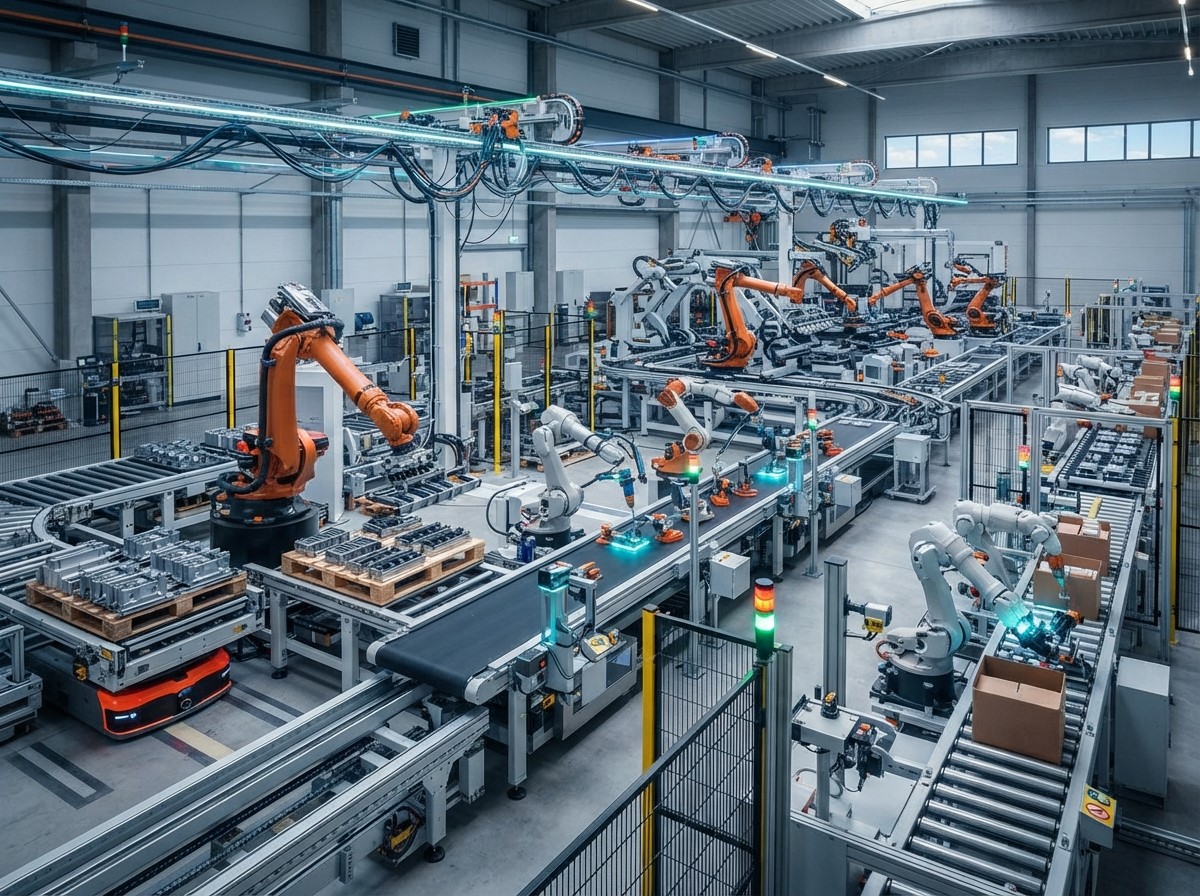
Automated workflows are becoming an important part of modern workplace productivity. Businesses often rely on employees to complete repetitive tasks such as data entry, approvals, notifications, scheduling, reporting, document management, and customer follow-ups. When these activities are performed manually every day, they can consume valuable time and increase the possibility of delays or errors.
Workflow automation allows businesses to connect different tasks and systems so that predefined actions can happen automatically. Instead of employees repeatedly moving information between applications or remembering every step in a process, automated systems can trigger the appropriate action when specific conditions are met.
What Are Automated Workflows?
Automated workflows are predefined sequences of tasks that technology performs automatically based on specific triggers, conditions, or rules. A workflow may involve one application or connect several different platforms to move information between them.
How Automated Workflows Work
An automated workflow generally begins with a trigger. This could be a new form submission, completed purchase, incoming email, scheduled time, database update, or employee request.
Once the trigger occurs, the system follows predefined instructions. It may create a record, send a notification, update another application, assign a task, or request human approval.
For example, when a customer submits a contact form, an automated workflow could add the information to a CRM, notify a sales representative, send a confirmation email, and create a follow-up task. This reduces the need for employees to manually coordinate every stage of the process.
How Automated Workflows Improve Productivity
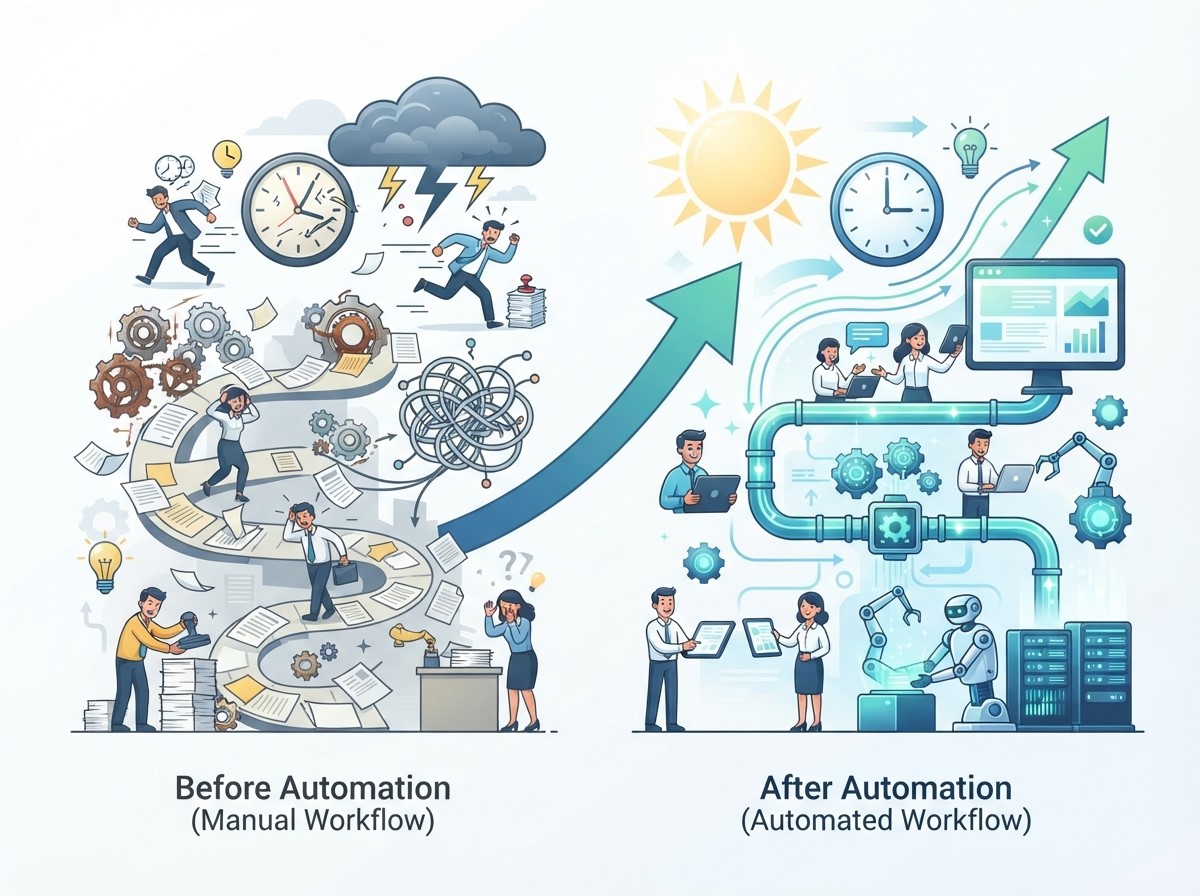
Productivity is not simply about working faster. It also involves using employee time effectively and reducing unnecessary administrative activities.
Reducing Repetitive Tasks
Employees often spend significant amounts of time performing repetitive tasks that follow predictable patterns. Copying information, sending routine emails, updating records, and creating standard notifications are examples of work that may be suitable for automation.
Automating these activities allows employees to focus on responsibilities that require human skills. Instead of repeatedly completing the same administrative steps, employees can concentrate on customer relationships, analysis, strategy, creative work, and decision-making.
Reducing Task Switching
Switching between multiple applications can interrupt concentration. An employee may need to open one platform to collect information, another to update a record, and another to send a notification.
Automated workflows can connect these systems and transfer information automatically. This can reduce unnecessary application switching and create a more streamlined working environment.
Automating Business Approvals
Approval processes can become bottlenecks when requests depend on manual emails or messages between multiple employees.
Creating Faster Approval Processes
Automated workflows can route requests to the appropriate person based on predefined rules. For example, a purchase request can automatically go to a manager when it exceeds a specific threshold.
The system can send reminders when an approval is pending and record completed decisions. This creates greater visibility into the process and reduces the chance that requests are forgotten.
Human approval remains important for decisions that require judgment. Automation simply helps move the request through the appropriate stages more efficiently.
Automating Data Entry and Information Management
Manual data entry is repetitive and can create opportunities for errors. Employees may need to enter the same customer, order, or operational information into multiple systems.
Connecting Business Applications
Automated workflows can transfer information between compatible applications. A new customer record created in one system can automatically appear in another platform when the appropriate integration is available.
This can reduce duplicate data entry and help employees access updated information without repeatedly transferring it manually.
Businesses should still monitor automated data transfers and maintain appropriate validation rules to prevent inaccurate or incomplete information from spreading across systems.
Robotic Process Automation and Workplace Productivity
Robotic process automation is a technology approach that uses software bots to perform structured, repetitive digital tasks. It can be particularly useful when employees repeatedly interact with existing applications in a predictable way.
Where Robotic Process Automation Fits
RPA can support tasks such as transferring information between systems, processing structured documents, generating reports, and performing repetitive data-related activities. It can be useful when organizations need to automate legacy processes without immediately replacing the underlying software.
However, RPA is not suitable for every process. Workflows that frequently change, require complex judgment, or depend on unstructured information may require other automation approaches or human involvement.
Automating Customer Service Workflows
Customer service teams handle many recurring activities, including ticket assignment, notifications, follow-ups, status updates, and information requests.
Improving Customer Support Operations
When a customer submits a support request, an automated workflow can categorize the request, assign it to the appropriate team, send an acknowledgment, and create a deadline for follow-up. Automated reminders can also notify employees when tickets remain unresolved.
These workflows can help customer service teams respond more consistently while allowing employees to focus on complex problems that require investigation or personalized communication.
Customer Journey Automation

Customer interactions often involve multiple stages, from initial discovery to purchase and post-purchase support. Customer journey automation helps businesses coordinate relevant actions across these stages.
Automating Customer Touchpoints
For example, a customer who completes a purchase might automatically receive an order confirmation, shipping update, product guidance, and a post-purchase feedback request. Similarly, a potential customer who downloads a resource could enter an appropriate follow-up sequence based on their activity.
The goal is to make communication timely and relevant without requiring employees to manually initiate every interaction. Automation should still be designed around customer needs. Excessive or irrelevant automated messages can create a poor experience rather than improving it.
Marketing Workflow Automation
Marketing teams manage numerous recurring processes, including lead management, campaign scheduling, email communication, content distribution, and reporting.
Automating Marketing Tasks
Automated workflows can help move leads between stages based on predefined actions. For example, a new lead can automatically enter a nurturing sequence while a sales representative receives a notification when the lead demonstrates a specific level of engagement.
Marketing automation can also organize campaign reporting and trigger follow-up activities based on customer behavior. The quality of the workflow depends on accurate data, clear rules, appropriate segmentation, and regular monitoring.
Digital Branding Automation
Brand-related processes can also benefit from automation. Digital branding automation involves using technology to streamline recurring branding and marketing activities while maintaining consistency.
Maintaining Brand Consistency
Businesses may use automated workflows to manage content approvals, brand asset distribution, social media scheduling, campaign notifications, and marketing review processes.
For example, when a new marketing asset is approved, an automated workflow could notify relevant teams, store the final version in a designated location, and trigger the next publishing step. Automation can reduce administrative work while helping teams follow established brand processes consistently.
Automating Employee Onboarding
Employee onboarding involves multiple departments and administrative steps. HR teams may need to coordinate documents, account creation, training, equipment, and internal notifications.
Creating a Structured Onboarding Workflow
An automated onboarding workflow can begin when a new employee record is created. The system can then generate tasks for HR, IT, managers, and other relevant departments.
Employees can receive scheduled information, training reminders, and required documentation requests automatically. This creates a more organized onboarding process while reducing the amount of manual coordination required from HR teams.
Automating Internal Communication
Employees frequently need reminders about deadlines, meetings, approvals, tasks, and important updates.
Delivering Timely Notifications
Automated notifications can be triggered by specific events. For example, a workflow can notify an employee when a task is assigned, remind a manager about a pending approval, or alert a team when a project milestone is approaching.
Automation can reduce the need for employees to manually track every event. However, notifications should be carefully managed because excessive alerts can create notification fatigue.
Improving Team Collaboration
Automation can connect different teams and ensure that information reaches the appropriate people at the right time.
Connecting Cross-Department Processes
A sales workflow might automatically notify finance when a contract is completed. Finance may then trigger an invoice process, while operations receive the information needed for fulfillment.
This type of coordination reduces the need for employees to manually communicate every transition. Clear ownership remains important. Teams should understand which actions are automated and which responsibilities still require human involvement.
Reducing Workplace Errors
Manual processes can produce errors when employees forget steps, enter incorrect information, or misunderstand instructions.
Standardizing Repetitive Processes
Automated workflows follow predefined rules consistently. This can help standardize repetitive activities such as notifications, data transfers, approvals, and routine documentation.
However, automation does not automatically guarantee accuracy. Incorrect workflow rules or poor-quality data can produce incorrect outcomes. Businesses should therefore test workflows carefully and establish monitoring procedures for important processes.
Improving Productivity With Workflow Analytics
Automation platforms can provide information about how workflows perform. Businesses can use this data to identify delays, bottlenecks, and recurring problems.
Measuring Workflow Performance
Useful metrics can include task completion time, approval delays, error frequency, workflow volume, employee time saved, and processing speed.
For example, if an approval workflow consistently remains pending for several days, management can investigate the cause and determine whether the process needs adjustment. Workflow analytics can turn automation into an ongoing improvement process rather than a one-time technology project.
How to Identify Processes for Automation
Not every task should be automated. Businesses should first understand their existing processes and determine where automation can provide practical value.
Choose Repetitive and Rule-Based Tasks
Processes are often good candidates when they have predictable steps, clear inputs and outputs, frequent repetition, and measurable results.
Businesses can start by documenting how a process currently works. They can then identify unnecessary steps, manual handoffs, repetitive data entry, and common sources of delay. Starting with a focused process makes it easier to test automation and measure results.
Best Practices for Implementing Automated Workflows
Successful workflow automation requires planning. Businesses should avoid automating inefficient processes without first understanding why those processes exist.
Start With a Clear Objective
Before implementing automation, define the problem that needs to be solved. The goal could be reducing processing time, improving response speed, minimizing manual data entry, or creating better visibility. A clear objective provides a basis for selecting technology and measuring results.
Test Before Full Deployment
Businesses can begin with a limited workflow and test it with a small group. This allows teams to identify unexpected problems before automation becomes part of a larger operational process. Employee feedback is particularly valuable because employees understand the practical details of day-to-day workflows.
Challenges of Automated Workflows
Automation can create significant benefits, but it also introduces challenges. Businesses may encounter integration problems, outdated data, unclear process ownership, security concerns, or resistance to operational changes.
Maintaining Human Oversight
Human involvement remains important when workflows affect customers, finances, compliance, security, or sensitive decisions.
Employees should know when automation is responsible for an action and how to intervene when something goes wrong.
Keeping Workflows Updated
Business processes change over time. A workflow created several years ago may no longer match current policies, applications, or customer expectations.
Regular reviews help ensure that automated workflows remain accurate and useful.
The Future of Workplace Workflow Automation

Automation is increasingly combining traditional workflow technology with artificial intelligence, analytics, cloud platforms, and business integrations. This allows businesses to automate increasingly complex processes while maintaining human oversight.
The future of workplace productivity will likely involve collaboration between employees and automated systems. Routine processes can be handled by technology, while people focus on strategic thinking, relationships, creativity, and complex decisions. Organizations that treat automation as an ongoing process improvement strategy can continuously identify opportunities to reduce unnecessary work and improve operational efficiency.
Conclusion
Automated workflows can improve workplace productivity by reducing repetitive tasks, connecting business applications, standardizing processes, and improving communication between teams. From data management and approvals to customer service and employee onboarding, workflow automation can support many areas of modern business operations.
Technologies such as Robotic process automation can handle structured digital tasks, while Customer journey automation can coordinate customer interactions across different stages. Digital branding automation can also help marketing teams manage recurring brand and content processes more consistently.
Frequently Asked Questions
1. What are Automated workflows?
Automated workflows are predefined sequences of tasks that technology performs automatically based on triggers, rules, or conditions. They can connect applications, transfer information, send notifications, assign tasks, and manage recurring business processes.
2. How do Automated workflows improve workplace productivity?
They reduce repetitive manual activities, minimize unnecessary task switching, improve process consistency, and allow employees to focus on work that requires creativity, analysis, communication, and decision-making.
3. What is Robotic process automation?
Robotic process automation uses software bots to perform structured and repetitive digital tasks. RPA can support activities such as data transfer, document processing, reporting, and interactions with existing applications.
4. What is Customer journey automation?
Customer journey automation uses technology to coordinate customer interactions across different stages of the customer lifecycle. It can automate confirmations, follow-ups, notifications, onboarding, and other recurring touchpoints.
5. How does Digital branding automation work?
Digital branding automation uses automated tools and workflows to manage recurring branding activities such as content approvals, asset distribution, campaign coordination, scheduling, and internal notifications.
6. Can automated workflows reduce workplace errors?
They can reduce certain errors associated with repetitive manual processes by following predefined rules consistently. However, incorrect rules, poor-quality data, and system problems can still produce errors, so monitoring is necessary.
7. What business processes can be automated?
Common examples include approvals, data entry, customer notifications, employee onboarding, reporting, lead management, scheduling, document processing, support ticket routing, and recurring administrative tasks.
8. Should every workplace process be automated?
No. Processes requiring creativity, complex judgment, negotiation, empathy, or sensitive decision-making may require substantial human involvement. Automation is generally more appropriate for repetitive and predictable activities.
9. How can businesses measure automated workflow performance?
Businesses can track metrics such as processing time, task completion rates, error frequency, approval delays, workflow volume, and employee hours saved. The appropriate metrics depend on the specific workflow.
10. What is the first step in creating an Automated workflow?
The first step is identifying a specific business problem and documenting the current process. Businesses should understand the workflow, identify repetitive steps and bottlenecks, and define a measurable objective before selecting an automation solution.
Meta Title:
Meta Description: