
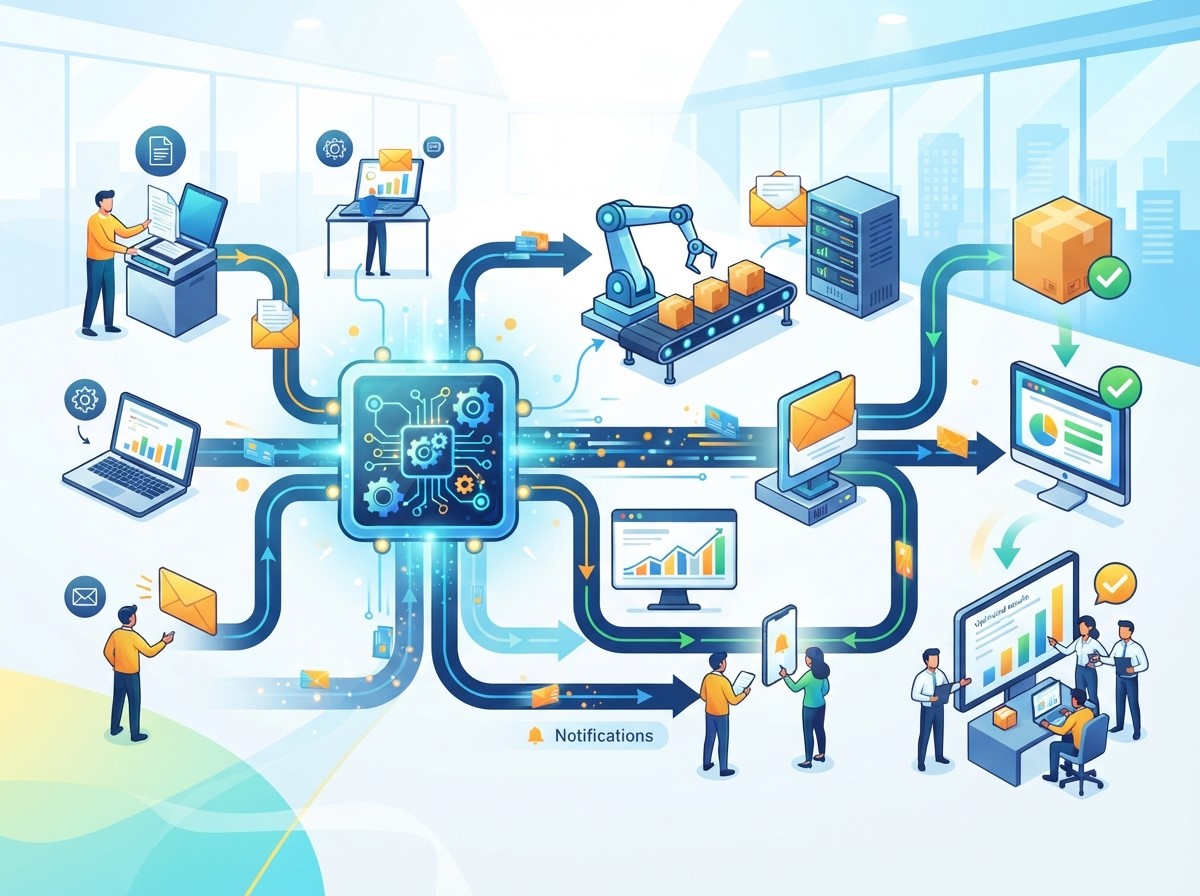
Business workflow automation is changing how teams communicate, coordinate tasks, share information, and complete day-to-day operations. As businesses grow, employees often need to work across multiple departments, software platforms, communication channels, and projects. Without organized workflows, important information can become difficult to track, tasks may be duplicated, and teams can spend unnecessary time following up with one another.
Workflow automation helps businesses create structured processes where tasks, notifications, approvals, information transfers, and follow-ups can happen automatically based on predefined conditions. Instead of relying entirely on manual communication, employees can work within connected workflows that provide visibility into responsibilities and progress.
What Is Business Workflow Automation?
Business workflow automation is the use of software and automated processes to manage repetitive business tasks and coordinate activities between people, systems, and departments. Automated workflows can trigger actions such as notifications, approvals, data updates, task assignments, and follow-up messages.
How Automated Workflows Operate
An automated workflow generally starts with a trigger. A trigger could be a new form submission, customer purchase, completed task, received email, updated database record, or another business event.
Once the trigger occurs, the system follows predefined rules to perform one or more actions. These actions might include assigning a task, sending a notification, updating a CRM record, or requesting an approval.
This structure helps teams know what happens next without requiring employees to manually coordinate every step.
Why Workflow Automation Matters for Collaboration
Collaboration becomes more complicated when multiple employees depend on one another to complete a process. A delay in one department can affect several other teams.
Automated workflows can help reduce these delays by automatically notifying the right people when their involvement is required. This creates a more predictable process and reduces the need for repeated follow-up messages.
How Business Workflow Automation Improves Team Collaboration

Business workflow automation can improve collaboration by creating shared processes, increasing visibility, and reducing repetitive coordination work.
Creating Clear Task Responsibilities
Employees need to know who is responsible for each task. When responsibilities are unclear, tasks may be forgotten or duplicated.
Automated workflows can assign tasks to specific employees or departments based on predefined rules. For example, a new sales lead can automatically be assigned to the appropriate sales representative based on location, product interest, or other business criteria. This creates clearer accountability and helps employees understand their role within a larger process.
Improving Information Sharing
Teams often rely on emails, spreadsheets, chat messages, and separate applications to exchange information. Important details can become difficult to find when they are spread across multiple systems.
Workflow automation can connect business applications and move relevant information between them automatically. This reduces the need for employees to manually copy and transfer information. When teams have access to consistent information, collaboration becomes easier and more organized.
Reducing Unnecessary Meetings
Not every status update requires a meeting. Automated notifications and workflow updates can provide employees with important information without requiring another meeting or manual follow-up.
For example, a project management workflow can automatically notify a team when a task is completed or when an approval is required. This allows meetings to focus more on discussion, planning, and problem-solving rather than routine status reporting.
Improving Cross-Department Collaboration
Many business processes require multiple departments to work together. Marketing may depend on sales, sales may depend on customer support, and operations may depend on finance.
Connecting Marketing and Sales Teams
Marketing teams generate leads while sales teams often manage those leads through the purchasing journey. Without a connected workflow, leads may be transferred manually, creating delays or communication gaps.
Automation can send new leads directly to the appropriate sales system, assign responsibilities, and notify sales representatives when follow-up is required. This creates a more consistent handoff between marketing and sales.
Supporting Customer Service and Operations
Customer service teams may need information from operations, billing, logistics, or technical departments to resolve customer issues.
An automated workflow can route a support request to the correct department based on its category. Updates can then be shared automatically as the issue moves through the process.
This helps reduce communication gaps and provides employees with clearer visibility into case progress.
The Role of Hyperautomation in Team Collaboration

Hyperautomation expands automation by combining technologies such as robotic process automation, artificial intelligence, machine learning, workflow automation, and system integration.
Connecting Multiple Automated Processes
Traditional automation may focus on one task or workflow. Hyperautomation takes a broader approach by identifying opportunities to automate interconnected processes across an organization.
For example, a customer order could trigger automated activities across sales, inventory, finance, fulfillment, and customer communication.
By connecting these processes, businesses can create a more integrated operating environment where teams have fewer manual handoffs.
Supporting Complex Workflows
Some business processes involve multiple conditions and decision points. Hyperautomation can combine automation technologies to manage these more complex workflows.
AI can help classify information, automation platforms can trigger actions, and integrations can transfer data between systems.
Human employees can remain involved where judgment or approval is required while automated systems handle suitable routine activities.
Business Workflow Automation for Marketing Teams
Marketing departments often manage numerous repetitive processes involving content, campaigns, leads, reporting, and social media.
Automation can help marketing teams coordinate these activities while maintaining consistent workflows.
Using SEO Automation
SEO automation can help teams manage repetitive search optimization tasks such as monitoring rankings, tracking technical issues, organizing reports, identifying opportunities, and monitoring website performance.
Instead of manually collecting every piece of information, teams can use automation tools to gather and organize relevant SEO data.
This can help SEO specialists spend more time analyzing results, developing strategies, and improving content rather than performing repetitive reporting tasks.
Using Social Media Automation
Social media automation helps marketing teams schedule and manage social media activities more efficiently. Content can be prepared in advance and scheduled for publication across selected platforms.
Automated reporting can also collect engagement data and provide performance summaries.
This can improve collaboration between content writers, designers, social media managers, and marketing strategists by creating a more organized publishing workflow.
Improving Project Management Through Automation
Project management often requires employees to coordinate deadlines, tasks, approvals, documents, and progress updates.
Automating Task Assignments
When a new project begins, workflows can automatically create standard tasks and assign them to responsible team members.
For example, launching a marketing campaign may automatically create tasks for content creation, graphic design, SEO review, approval, scheduling, and performance reporting. This reduces the need to create every task manually.
Automating Notifications and Reminders
Employees may forget deadlines when managing multiple projects simultaneously. Automated reminders can notify employees when tasks are approaching their deadlines or when action is required.
Managers can also receive automated updates when important milestones are completed or delayed. This creates greater visibility without requiring constant manual status checks.
Improving Communication and Transparency
Effective collaboration depends on transparency. Team members need to understand what has been completed, what is pending, and where a process may be delayed.
Creating Centralized Workflow Visibility
Automation platforms can provide dashboards or activity histories that show the status of tasks and workflows.
Instead of asking multiple employees for updates, team members can check the workflow status directly.
This can reduce communication overhead and make it easier for managers to identify bottlenecks.
Reducing Communication Gaps
Manual processes can cause information to remain with one employee or department. If that person is unavailable, progress may slow down.
Automated workflows can distribute relevant updates to appropriate team members, reducing dependence on individual communication. This can make business processes more resilient and easier to manage.
How Automation Supports Remote and Hybrid Teams
Remote and hybrid teams often depend heavily on digital communication and project management tools. Automation can help maintain consistency when employees work from different locations.
Keeping Teams Aligned
Automated task assignments, notifications, approvals, and status updates help employees stay informed without being physically present in the same office. This can be particularly useful when team members work different schedules or time zones.
Creating Consistent Processes
Remote teams may otherwise develop different ways of completing the same task. Automated workflows can provide standardized processes that everyone follows. Standardization helps reduce confusion and creates a more predictable working environment.
Measuring the Impact of Workflow Automation
Businesses should measure automation based on meaningful collaboration and productivity outcomes.
Important Performance Metrics
Useful metrics may include task completion time, process cycle time, number of manual handoffs, error rates, response time, employee productivity, and workflow completion rates.
The appropriate metrics depend on the process being automated and the organization’s objectives.
Comparing Workflow Performance
Businesses can establish a baseline before implementing automation and compare results afterward.
For example, if a customer request previously required several manual handoffs, the organization can measure whether automation reduced the number of steps and shortened response time. This helps determine whether the workflow is producing meaningful improvements.
Challenges of Business Workflow Automation
Automation can improve collaboration, but businesses may face challenges during implementation.
Integration Problems
Businesses often use multiple software platforms that need to exchange information. If systems cannot communicate effectively, automation may become difficult to implement.
Proper integration planning is therefore important.
Employee Adoption
Employees need to understand how automated workflows affect their responsibilities. Training and clear communication can help teams adapt to new processes.
Automation should be introduced as a tool for improving work rather than simply adding another layer of technology.
Poorly Designed Workflows
Automating an inefficient process does not automatically make it efficient. Businesses should review and simplify workflows before automating them. A poorly designed automated workflow can make problems more difficult to identify.
Best Practices for Implementing Business Workflow Automation
A structured approach can help businesses create useful and sustainable automated workflows.
Start With Repetitive Processes
Businesses should begin with processes that are repetitive, time-consuming, high-volume, or prone to manual errors.
Starting with clearly defined processes can make it easier to demonstrate value and identify improvements.
Define Roles and Rules
Every automated workflow should clearly define triggers, actions, responsibilities, approval points, and exceptions.
This prevents confusion and helps employees understand when human intervention is required.
Keep Humans Involved Where Necessary
Not every business decision should be automated. Tasks involving complex judgment, sensitive information, customer relationships, or significant business consequences may require human review.
A balanced approach can combine automation efficiency with human expertise.
Monitor and Improve Workflows
Automated processes should be reviewed regularly. Business requirements can change, and workflows may need updates as teams, technologies, and customer expectations evolve.
Performance monitoring can reveal delays, errors, or unnecessary steps that should be optimized.
The Future of Business Workflow Automation

Business workflow automation is increasingly moving toward intelligent and interconnected processes. Artificial intelligence, machine learning, hyperautomation, and cloud-based integrations are expanding the types of work that can be automated. Future workflows may be able to interpret information, recommend actions, identify unusual situations, and dynamically adjust processes based on business conditions.
However, human oversight will remain important for complex decisions and situations where context matters. Organizations that combine automation with strong process design and effective collaboration practices can create more connected and responsive working environments.
Conclusion
Business workflow automation can significantly improve team collaboration by creating clear responsibilities, connecting departments, reducing repetitive communication, and improving workflow visibility.
Automation can support marketing teams through SEO automation and Social media automation, while Hyperautomation can connect multiple processes and technologies across an organization.
Frequently Asked Questions
1. What is Business Workflow Automation?
Business workflow automation uses software and automated processes to manage repetitive tasks, assign responsibilities, transfer information, send notifications, and coordinate activities between employees, departments, and systems.
2. How does Business Workflow Automation improve team collaboration?
It can improve collaboration by creating clear task assignments, automating notifications, connecting business systems, reducing manual handoffs, and providing greater visibility into workflow progress.
3. What is Hyperautomation?
Hyperautomation is a broader approach to automation that combines technologies such as artificial intelligence, robotic process automation, machine learning, workflow automation, and system integrations.
4. Can Business Workflow Automation help marketing teams?
Yes. Marketing teams can use automation for lead management, campaign workflows, reporting, content processes, SEO automation, and Social media automation.
5. What is SEO automation?
SEO automation involves using software to automate repetitive SEO activities such as monitoring rankings, tracking website issues, collecting performance data, and generating reports.
6. How does Social media automation support collaboration?
Social media automation can help teams schedule content, coordinate publishing activities, collect performance data, and reduce repetitive social media management tasks.
7. Can workflow automation reduce business communication?
It can reduce unnecessary manual communication by automatically sending notifications, status updates, reminders, and workflow information to the appropriate employees.
8. Is Business Workflow Automation suitable for small businesses?
Yes. Small businesses can automate selected repetitive processes such as lead management, customer notifications, invoicing, scheduling, marketing tasks, and internal approvals.
9. What are the main challenges of workflow automation?
Common challenges include system integration, employee adoption, poor workflow design, data quality, security considerations, and maintaining automated processes over time.
10. How can businesses start with workflow automation?
Businesses can begin by identifying repetitive and time-consuming processes, defining clear objectives, mapping the existing workflow, selecting appropriate automation tools, testing the process, and monitoring its performance.