In today’s fast-paced business environment, skilled document management is the cornerstone of operational success, transforming raw data into professional, actionable assets that drive growth.
This guide explores the evolution of Business Document Typing, highlighting its role in accuracy, legal protection, and brand image. We delve into modern technologies like OCR and AI, outsourcing benefits, and best practices for maintaining high-quality documentation in the digital age.
Why Business Document Typing Still Matters in the Digital Age
The shift toward “paperless” offices has not eliminated the need for typing; it has merely changed the medium. Manual data entry and professional typing remain essential because automated systems often struggle with nuances, context, and specialized formatting.
The Critical Role of Accurate Documentation
Accurate documentation serves as the backbone of an organization’s “source of truth.” Without it, communication breaks down and risks escalate.
- Legal Protection: Properly typed and formatted contracts, agreements, and policies protect businesses legally and establish clear expectations between parties.
- Knowledge Preservation: Essential business intelligence and institutional knowledge remain accessible when properly documented, preventing “brain drain” when employees depart.
- Professional Image: Well-formatted, error-free documents project competence and attention to detail to clients and partners.
- Operational Clarity: Clear, typed instructions and processes ensure consistency in business operations and reduce misunderstandings.
According to research by Ahrefs on content structure and SEMrush on digital workflows, clarity in documentation is a top driver for internal search efficiency. Employees spend a significant portion of their workweek just looking for information; Business Document Typing bridges the gap between chaos and searchable, indexed data.
Types of Business Documents That Require Professional Typing
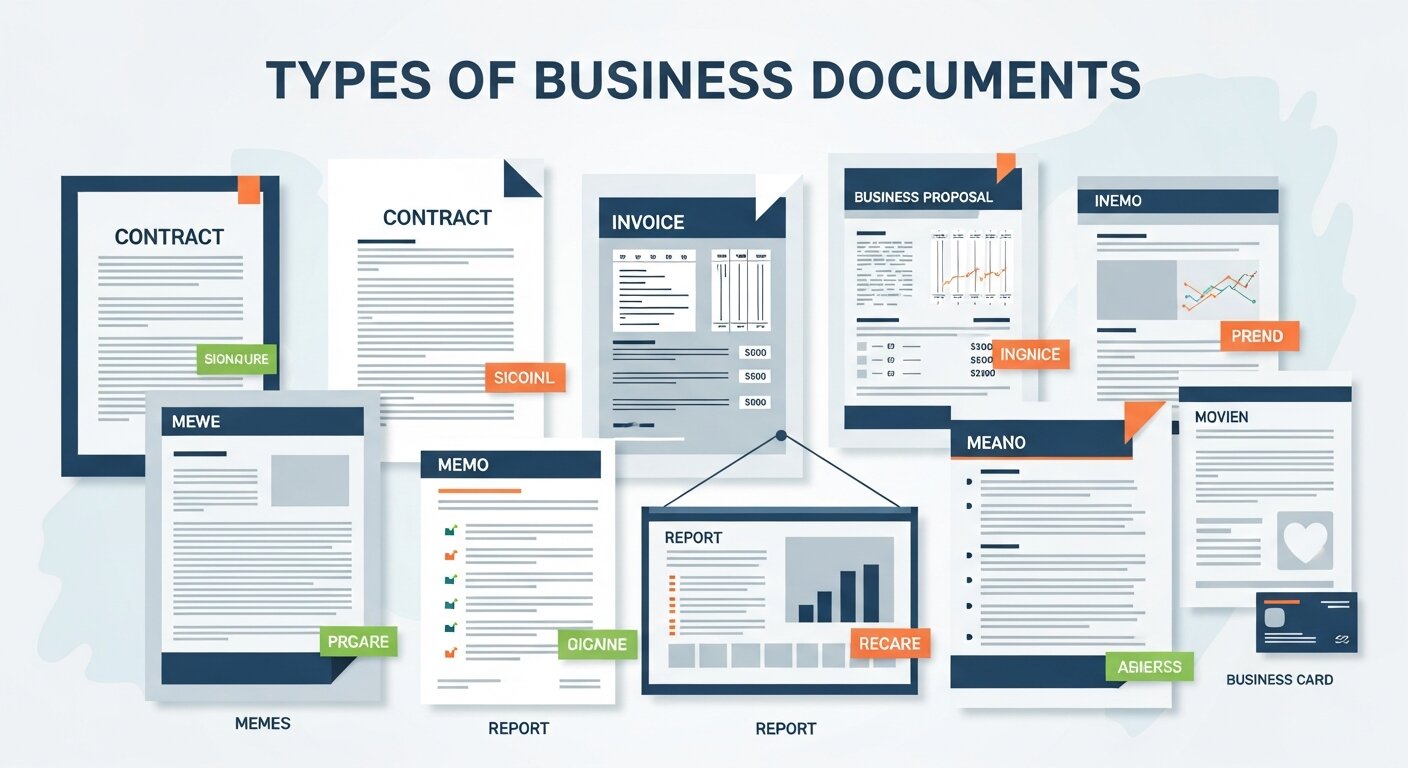
The scope of Business Document Typing is vast. It isn’t just about letters; it’s about every touchpoint of your brand.
| Category | Document Types |
| Corporate Communications | Memos, internal announcements, formal correspondence, email templates. |
| Legal & Financial | Contracts, financial reports, compliance documentation, legal briefs. |
| Operational | Standard Operating Procedures (SOPs), training manuals, meeting minutes. |
| Marketing & Sales | Product catalogs, white papers, case studies, sales proposals. |
From Data Entry to Automation
While manual data entry is the starting point for many, many companies are moving toward Data Entry Automation Software. This transition allows for Automate excel spreadsheets and Website data entry automation, ensuring that information flows from a typed document directly into a CRM like Hubspot data entry or accounting tools like Automated data entry xero.
The Technology Powering Modern Typing Services
The landscape of Business Document Typing has evolved from simple word processing to a tech-integrated ecosystem.
1. Speech-to-Text and Transcription
Advanced speech recognition software has revolutionized transcription. However, while these systems can filter background noise and recognize multiple speakers, human oversight is required for textual data entry involving complex industry-specific terminology.
2. Optical Character Recognition (OCR)
OCR technology has transformed how businesses handle legacy paper files. It allows for:
- Converting scanned documents to editable text.
- Enabling searchable PDF creation.
- Automate browser data entry by extracting text from web-based images.
3. Artificial Intelligence in Business
Artificial intelligence in business is no longer a futuristic concept. AI-enhanced processing now handles contextual formatting and automated error detection. For small businesses, automation for small businesses and business process automation tools can handle manual invoice data entry with 99% accuracy.
Types of Business Documents That Require Professional Typing
Outsourcing your Business Document Typing to a Virtual Assistant or specialized agency offers more than just clean pages; it offers a competitive edge.
Enhanced Productivity and Focus
When core team members delegate typing tasks, they can focus on high-value activities like B2B Lead Generation or Content marketing plan development. A marketing director shouldn’t spend four hours formatting a report when they could be analyzing Digital Marketing Analytics.
Cost Efficiency
Maintaining an in-house department involves full-time salaries, benefits, and training expenses. By using a professional service, you move to a variable cost model. Whether you need text expansion software implementation or Automated crm data entry, you only pay for the output produced.
Brand Authority and Consistency
Using professional typists ensures your Brand Voice Strategy and Brand Identity remain consistent. This is vital for Luxury Brand Marketing and Consumer Brand Marketing, where a single typo can damage Brand Perception In Marketing.
Integrating Typing with Modern Marketing Strategies
Documentation doesn’t exist in a vacuum. It supports your broader marketing and sales funnels.
Webinars and Virtual Events
In the modern workplace, Virtual Eventeering and Webinars are essential for lead generation. Business Document Typing plays a role here by:
- Typing up scripts for Successful Webinar Planning.
- Transcribing sessions to create Webinars for Education materials.
- Formatting Follow-Up Emails to convert attendees.
- Ensuring a Webinar in Resume or Webinar be included in resume is formatted professionally for career growth.
Data-Driven Insights
Professional documentation allows for better Marketing Analytics Data collection. By converting physical records into digital text, you can leverage Advanced Web Analytics and Customer Journey Analytics to track how your documents influence the Brand Positioning Strategy.
Best Practices for Effective Business Document Typing
To get the most out of your documentation efforts, follow these industry standards:
- Establish Clear Standards: Develop a Brand Strategy Framework and style guide that dictates font, tone, and formatting.
- Implement Quality Control: Use multi-level proofreading. Even with Mastering automation in excel data entry, human eyes must catch the nuances.
- Prioritize Security: Business documents often contain sensitive data. Use Digital Payment Solutions that are secure and ensure your typing service follows strict Reputation Management and confidentiality protocols.
- Leverage Text Expansion: Use text expansion software to speed up the typing of repetitive phrases, ensuring speed without sacrificing accuracy.
Expanding Your Digital Presence
While typing provides the “what,” your digital strategy provides the “where.” Organizations today must combine high-quality documentation with SEO Services, Local SEO Services, and Ethical Link Building to ensure their professional documents (like white papers or case studies) are found by the right audience.
Reputation and Brand Management
Your typed documents are a reflection of your Personal Brand Strategy. In cases of a Brand Crisis Management situation, the speed and accuracy of your typed press releases and internal memos can make or break your Digital Reputation Management.
The Strategic Synergy: Branding and Document Accuracy
In the realm of Luxury Brand Marketing and Consumer Brand Marketing, the physical and digital documents a client receives are extensions of the product itself. Business Document Typing is not merely an administrative task; it is a component of Brand Positioning. When a high-net-worth client receives a bespoke proposal, the typography, alignment, and grammatical precision contribute to Brand Perception In Marketing.
Building Brand Consistency Through Documentation
A Brand Strategy Framework is useless if your internal memos and external white papers use different tones or formats. Professional typing services help maintain Building Brand Consistency by:
- Adhering to a unified Brand Voice Strategy.
- Utilizing standardized templates that reflect your Brand Architecture.
- Ensuring that even technical SOPs (Standard Operating Procedures) align with the company’s Brand Personality In Marketing.
Advanced Automation: Beyond Manual Data Entry
While Manual data entry served the businesses of the past, the modern enterprise relies on Mastering real time data. The goal is to move from “typing” to “data flow.”
Automating the Workflow
- Automate Excel Spreadsheets: By using Mastering automation in excel data entry, businesses can link typed Word documents directly to data sheets.
- Website Data Entry Automation: Professional typists now use tools to Automate website data entry, ensuring that product descriptions or blog posts are uploaded with perfect SEO formatting.
- Automate Browser Data Entry: For CRM management, Automate browser data entry tools allow a typist to port information from a PDF directly into a web-based interface like Hubspot data entry.
Data Entry Automation Software Comparison
| Feature | Manual Data Entry | Automated Data Entry (Xero/Hubspot) |
| Speed | Slow, prone to fatigue | High-speed processing |
| Accuracy | High (with proofreading) | Extremely high for structured data |
| Cost | Labor-intensive | Lower long-term overhead |
| Use Case | Complex, creative documents | Manual invoice data entry, logs |
Virtual Events and the Need for Professional Transcription
As we look at Virtual Eventeering and Webinars, the “document” has evolved. A Unforgettable Online Event generates hours of audio and video. To maximize the ROI of Webinars for Education or Salesforce Webinars, that audio must be converted into text.
Converting Media into Marketing Assets
- Webinar Sales Funnel: Typed transcripts of a webinar can be repurposed into a Viral Content Marketing Strategy.
- Follow-Up Emails: Professional typists can extract the “gold” from a live Q&A session to create personalized Follow-Up Emails.
- Webinar in Resume: For professionals, having a typed transcript of their speaking engagements allows them to accurately describe their expertise when deciding how a webinar be included in resume profiles.
Security, Reputation, and Crisis Management
Business documents often contain the “crown jewels” of a company—trade secrets, financial projections, and client lists. This is where Business Document Typing intersects with Digital Reputation Management and Brand Crisis Management.
Maintaining the Shield
- Data Integrity: Inaccurate typing in a financial report can lead to a Brand Crisis.
- Confidentiality: Professional services provide Personal Reputation Management by ensuring sensitive internal discussions (like a Brand Audit) never leak.
- Ethical Branding: By using Ethical Link Building and secure Digital Payment Solutions, companies ensure their document workflow is as clean as their public-facing image.
The Future: AI-Driven Trend Forecasting and Document Logic
The next generation of Business Document Typing involves Ai Driven Trend Marketing. AI doesn’t just type the words; it analyzes the sentiment.
- Predictive Trend Marketing: AI can scan thousands of typed customer feedback forms to predict the next Micro Trend Marketing shift.
- Content Marketing Plan: Typed data feeds into your Marketing Analytics Tools, helping you decide if your next move should be Viral Marketing on Tiktok or a traditional Outbound Email Marketing campaign.
- Brand Resilience Strategies: By digitizing all historical records, companies can perform a Competitive Brand Analysis to see how they have evolved compared to market trends.
Operational Efficiency: The Virtual Assistant Advantage

For many, the solution to high-volume typing is a Virtual Assistant. A VA doesn’t just type; they manage the Event Tech Tools and Marketing Analytics Hacks that keep a business lean.
- Email Marketing Services: A VA can handle the Textual data entry for thousands of outbound emails.
- Review Management Services: Typing professional responses to customer reviews is a critical part of Reputation Management.
- Social Media Management: Converting long-form reports into “snackable” typed posts for Viral Content Strategies.
Conclusion
Investing in professional Business Document Typing is a strategic move that enhances operational efficiency, ensures legal compliance, and solidifies your professional brand image. By blending human expertise with advanced automation, your organization can transform simple information into a powerful engine for growth, clarity, and long-term institutional memory.
FAQs
1. What is the difference between manual data entry and business document typing?
Manual data entry typically refers to entering raw data (numbers, names) into a database or spreadsheet, whereas Business Document Typing involves the creation and formatting of full-length professional documents like reports, contracts, and letters.
2. How can I automate my Excel data entry?
You can use Mastering automation in excel data entry techniques such as using macros, Power Query, or third-party Data Entry Automation Software to pull data from typed documents directly into your sheets.
3. Is AI going to replace professional typists?
While Artificial intelligence in business is improving, it currently serves as a tool. Human typists are still essential for ensuring Brand Voice Strategy alignment, nuanced editing, and handling complex formatting that AI might miss.
4. How does document typing help with B2B Lead Generation?
Professional typing ensures that your Salesforce Webinars summaries, white papers, and B2B Digital Marketing Strategies are polished and authoritative, which builds trust with high-value prospects.
5. What is the standard turnaround time for a 50-page document?
Most professional services offer a 24-48 hour turnaround. However, for Outbound Marketing materials or urgent legal briefs, “rush” services can deliver within 6-12 hours.
6. Can I include webinar hosting on my professional resume?
Yes! A Webinar in resume is a great way to show leadership. Ensure the description is typed professionally, highlighting your role as a Virtual Assistant or host and the Webinar Sales Funnel results you achieved.
7. How do typing services ensure the security of my financial data?
Reputable services use Digital Payment Solutions with encryption, sign strict NDAs, and use secure servers for real time data transfer to prevent leaks.
8. What role does OCR play in modern business?
OCR (Optical Character Recognition) allows businesses to Automate website data entry by scanning physical documents and turning them into editable, searchable digital text, saving thousands of hours of manual labor.
9. How does document quality affect Brand Perception In Marketing?
If a client receives a proposal with typos, your Brand Positioning shifts from “premium” to “careless.” Professional typing maintains Building Brand Consistency across all platforms.
10. What are the best tools for automation for small businesses?
Small businesses often benefit from Hubspot data entry tools, Automated data entry xero for accounting, and text expansion software to handle repetitive customer communications efficiently.